
You know that wiggle-and-pray charging ritual you do every night? Where you prop your phone just right with a book underneath because the charging port’s gone wonky? You’re burning through cables faster than coffee filters, and that “low battery” warning has become your personal nemesis.
Here’s what we’ll cover:
- Why charging ports fail (it’s not always pocket lint)
- Signs you need repair vs. just cleaning
- What happens during professional repair
- Cost breakdown and time estimates
- How to prevent future charging issues
At iPhone Repair 4 Less, we see this problem daily—it’s actually one of our most common fixes. Most folks walk out with a fully functioning charging port in about 30 minutes. No more cable gymnastics required.
Why Charging Ports Fail
Your Android’s charging port faces a daily beating that would destroy most electronics. We’re talking 1,000+ cable insertions per year, plus all the pocket adventures in between.
The Usual Suspects
Some of the most common suspects are:
Pocket Lint Build-Up
Every time you pocket your phone, tiny fibers pack deeper into the port. Add moisture from humid days, and you’ve got compressed debris that’s basically cement. We’ve seen ports so packed, you’d think someone stuffed them on purpose.
Physical Damage From Daily Use
- Jamming cables at weird angles (guilty of bed-charging?)
- Using force when the cable won’t go in
- Yanking cables out by the wire
- Dropping the phone while plugged in
The Real Port Killers
| Damage Type | What Happens | Repair Difficulty |
| Bent pins | Cable won’t click in place | Moderate |
| Corrosion | Intermittent charging | High |
| Loose port | Constant wiggling needed | High |
| Debris blockage | Cable won’t insert fully | Low |
Cheap Cables = Expensive Problems
Those $3 gas station cables? They’re port destroyers. Off-spec connectors grind away at delicate pins with every use. One customer’s knock-off cable turned their port into metallic dust in just two months.
Water Damage You Don’t See
A single drop of coffee or answering texts with damp hands starts invisible corrosion. The metal contacts oxidize, creating resistance that makes charging slower until it stops completely.
⚡ Quick tip: Port feels loose? Stop using it. Continued charging turns a $50 repair into a $200 motherboard replacement. At iPhone Repair 4 Less, we catch these issues early—saving you from costlier fixes down the road.
Signs You Need Repair vs. Just Cleaning
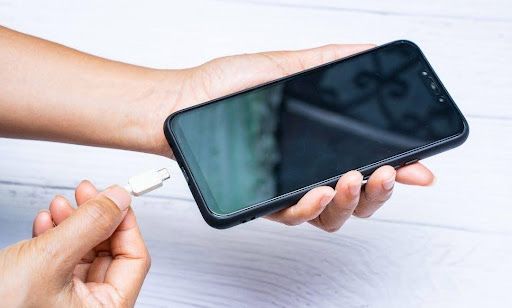
Not every charging issue needs professional help. Sometimes it’s just Tuesday, and your port needs a good cleaning. But other times? You’re looking at an actual hardware failure.
DIY Cleaning Signs
Try cleaning first when you notice:
- Cable goes in but feels “crunchy” or rough
- Charging works, but seems slower than usual
- You see visible lint or debris
- Cable doesn’t click in as firmly as before
- Problems started suddenly (not gradually)
Safe cleaning method: Power off, use a wooden toothpick (never metal), and gently scrape outward. Compressed air? Skip it—you’ll just blow debris deeper.
Red Flags for Professional Repair
Book that repair when:
- Cable falls out with the slightest movement
- You need a specific angle to charge (the dreaded “sweet spot”)
- Charging only works with certain cables
- Port feels loose or wobbly
- Burn smell when plugging in
- Phone says “moisture detected” when it’s bone dry
The Decision Matrix
| Symptom | Try Cleaning | Need Repair |
| Won’t charge at all | ✓ | ✓ |
| Intermittent charging | ✓ | ✓ |
| Cable won’t stay in | ✓ | |
| Visible damage/burns | ✓ | |
| Works after wiggling | ✓ | |
| Recent liquid exposure | ✓ |
If cleaning doesn’t fix it within 5 minutes, you’re dealing with hardware damage. Continued DIY attempts just make things worse.
What Happens During Professional Repair
Forget those YouTube videos showing 45-minute teardowns. Professional repair is a completely different animal.
The Repair Process (What Actually Happens)
- Step 1: Diagnostic Check (5 minutes)
- We test with multiple cables and inspect under magnification. This tells us if it’s the port, flex cable, or motherboard issue. No guessing games.
- Step 2: Phone Disassembly (10 minutes)
- Your Android comes apart in a specific sequence. One wrong move can crack the display or damage the fingerprint sensor. We’ve done this thousands of times—muscle memory kicks in.
- Step 3: Port Replacement (10-15 minutes)
- Disconnect the battery (safety first)
- Remove the old charging port assembly
- Install a new OEM-quality port
- Test fit before reassembly
- Clean all connection points
- Step 4: Testing & Reassembly (5 minutes)
- Multiple charge cycles, fast-charging verification, and data transfer tests. Only then does your phone go back together.
What Makes Professional Repair Different
Tools you don’t have at home:
- ESD-safe workstations (static = dead phone)
- Microscopes for pin-level inspection
- Precision hot air stations
- Board-level diagnostic equipment
The parts matter. We use OEM-spec ports that match your phone’s original tolerances. Those eBay parts? Half won’t fit, and the other half fails within weeks.
Experience prevents disasters. That ribbon cable near the charging port? It’s thinner than paper and costs $150 to replace if torn. We know every trap, every fragile connector, every “gotcha” in your specific model.
At iPhone Repair 4 Less, this entire process takes about 30 minutes. You can wait in our lobby, grab coffee next door, and come back to a phone that charges like new. Plus, everything’s backed by our 1-year warranty—because quality parts installed correctly just work.
Cost Breakdown and Time Estimates
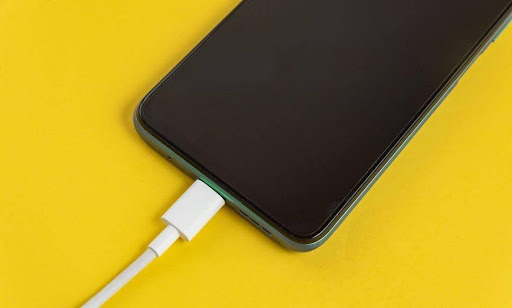
Let’s talk real numbers. No fluff, just what you’ll actually pay when you walk through the door.
Android Repair Pricing
| Phone Type | Price Range | What You Get |
| Budget Android (Moto G, Samsung A-Series) | $40 – $80 | Basic port swap, 30-minute service |
| Mid-Range (Pixel 5a, OnePlus Nord) | $60 – $120 | More complex internals, same-day fix |
| Premium (Galaxy S-Series, Pixel 7) | $100 – $200 | High-end parts, precision work |
| Tablets | $80 – $250 | Larger teardown, specialized tools |
The DIY trap: Sure, you can buy a $20 kit on Amazon. But when you crack your display trying to pry it open, that $50 repair just became a $300 nightmare.
Time Is Money (And Sanity)
Professional repair timeline:
- Diagnostic: 5-10 minutes
- Standard repair: 30-45 minutes
- Complex cases: 2-3 hours max
At iPhone Repair 4 Less, we nail it in 30 minutes flat for most Android models. You literally grab coffee next door and come back to a working phone. No shipping, no waiting days, no “we’ll call you.”
Hidden Costs Nobody Mentions
Third-party shops might surprise you with:
- “Diagnostic fees” ($25-50), even if you don’t repair
- “Rush charges” for same-day service
- Cheap parts that fail in weeks
Our approach? Transparent pricing, no fix = no fee, and a 1-year warranty that actually means something. We’ve been fixing phones since 2010—we know what lasts.
When Repair Beats Replacement
| Your Situation | Repair It | Replace It |
| Phone < 2 years old | ✓ | |
| Everything else works fine | ✓ | |
| Multiple issues stacking up | ✓ | |
| Repair cost > 40% of phone value | ✓ |
How to Prevent Future Charging Issues
Your charging port doesn’t have to become a money pit. Here’s how to keep it healthy—straight from techs who’ve seen every possible way people destroy these things.
The Golden Rules of Port Protection
- Stop the Death Grip: Applying excessive force while inserting the charging cable can damage the port’s internal components. That satisfying click when you jam it in? You’re bending pins thinner than paper.
- Pocket Lint Is Your Enemy: Every pocket trip packs debris deeper. Use a wooden toothpick monthly (never metal—we’ve seen phones fried from static). Compressed air works, but angle it sideways, not straight in.
- Cable Quality Matters More Than You Think: Using low-quality or non-certified charging cables may cause damage to the charging port over time. Those $3 gas station specials? Their slightly off-spec connectors grind your port to dust. Invest $20 in a decent cable—it’ll save you $100 in repairs.
Daily Habits That Save Ports
The Right Way to Plug In:
- Line up the cable before pushing
- Insert gently until you feel resistance
- One smooth push—no wiggling
Smart Storage Solutions:
- magnetic charging cable for your Android or Apple phone or device—leaves a tiny adapter in the port, protects from daily wear
- Port covers when not charging (especially outdoors)
- Loosely coil them and use cable organizers to prevent tangling
Warning Signs to Act On NOW
Fix immediately when you notice:
- Charging only at certain angles
- Cable feels loose, but looks fine
- Intermittent connection during use
- Any burning smell (stop using immediately)
Pro tip from our bench: Unplug your device once it reaches a full charge to prevent overcharging and minimize stress on the charging port. Overnight charging isn’t just bad for your battery—that constant micro-movement wears the port faster.
The Wireless Alternative
Consider wireless charging for your daily routine. Your port gets a break, reducing insertions by 80%. Keep wired charging for emergencies and fast top-ups.
Android Charging Port Repair Done Right with iPhone Repair 4 Less
Charging port problems sneak up on everyone. One day it’s a slight wiggle, next week you’re propping your phone against books at weird angles just to keep it alive. Now you know the signs, the costs, and how to prevent the whole mess.
Key takeaways:
- Port repair costs $40 – $200, depending on your Android model
- Professional repair takes 30-45 minutes, not days
- Pocket lint and cheap cables are the silent killers
- DIY attempts often cause more damage than the original problem
- Prevention beats repair every time (but repair beats replacement)
Whether you need that port fixed today or just cleaned out, we’ve got your back at iPhone Repair 4 Less. Same 30-minute turnaround we’ve delivered since 2010, with genuine parts that actually last. No appointments needed—just walk in and walk out, charging like new.
FAQs
How much does it cost to fix an Android charging port?
Budget Android phones cost $40 – $80, mid-range phones $60 – $120, and premium Android devices $100 – $200 for professional repair. At iPhone Repair 4 Less, we provide exact quotes after our free diagnostic—no surprises.
Can an Android charging port be fixed?
Absolutely. Most charging ports are replaceable modules, not permanently attached to the motherboard. Unless there’s water damage or motherboard issues, we can swap that port in about 30 minutes and have you charging like new.
Is it worth fixing a charging port?
If your phone’s less than 2 years old and everything else works fine, repair wins every time. A $100 port fix beats dropping $800 on a new phone. But if repair costs exceed 40% of your phone’s value, it’s replacement time.
Can I replace a charging port myself?
Technically? Yes. DIY vs. Professional Charger Port Repair shows kits cost $20-50. Realistically? One wrong move cracks your display or fries the motherboard. We’ve fixed plenty of DIY disasters—save yourself the headache and let professionals handle it.

Write a Comment