
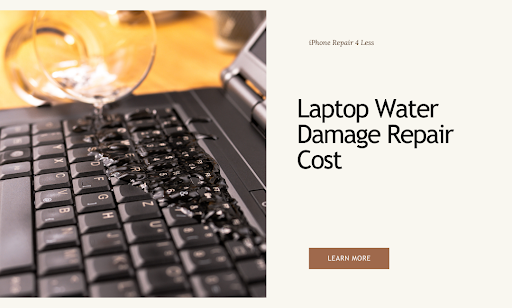
Your laptop just met its worst enemy—liquid. Now you’re staring at quotes ranging from $200 to $900 for the same exact problem. Here’s the truth: most shops count on your panic to inflate prices by 40-60%.
Before you pay a penny, you need to know what actually drives repair costs and which “damage” is just surface-level drama that costs $50 to fix.
What You’ll Learn:
- Real cost breakdown for each type of water damage
- The 24-hour rule that saves 70% of wet laptops
- Which components actually need replacing
- Red flags that signal price gouging
- When repair beats replacement every time
If you’re in Lafayette, LA, we see water-damaged laptops weekly at iPhone Repair 4 Less. We fix way more than just iPhones—laptops too. Our techs will tell you straight up if it’s worth fixing or not.
Real Cost Breakdown for Each Type of Water Damage
Your laptop’s water damage repair bill depends on exactly what got wet. Most shops won’t tell you this, but 90% of cases don’t actually need the entire logic board replaced—that’s just the easy upsell.
The Component Price Reality Check
| Damage Type | Typical Cost | What They Quote | Red Flag Alert |
| Keyboard Only | $50-$150 | $200-$300 | Keys typing wrong letters = just keyboard damage |
| Battery | $50-$200 | $250-$400 | Won’t charge? Battery’s fried, not motherboard |
| Hard Drive | $110-$260 | $400-$600 | Boots but acts weird? Back up NOW |
| Screen | $125-$250 | $300-$500 | Liquid rarely reaches screen unless submerged |
| Motherboard | $200-$550 | $700-$900 | Apple charges $900+ but most only need cleaning |
| Full System | $300-$800 | $1,000+ | Multiple components = consider replacement |
What Actually Needs Replacing
- Surface-level damage (coffee spills, water splashes): If your laptop still turns on, you’re probably dealing with keyboard or trackpad issues. When keys type wrong letters, it’s just the keyboard that needs replacing. This is a 30-minute fix that costs under $150.
- Component-specific failure: A 1TB SATA drive replacement runs $110 with labor, while a 500GB SSD costs $179. Add $100 for data recovery if needed. Battery replacements vary wildly—standard batteries cost $50-$200 installed, refurbished ones $25-$75.
- The motherboard myth: Here’s the dirty secret: most spill repairs just need battery removal, corrosion cleaning, and circuit board drying—under $300 total. But Apple? They charge $299 without display damage, $398 with it. For PCs, expect 30-40% less.
- Total loss territory: Microsoft charges a flat $499 for Surface Laptop liquid damage—basically a replacement. If multiple components are toast and repair exceeds 50% of replacement cost, buy new.
At iPhone Repair 4 Less, we actually diagnose what’s damaged, not just quote motherboard replacement. We fix laptops too, not just phones. Free diagnosis, honest pricing, and we’ll tell you straight if it’s worth fixing.
The 24-hour Rule That Saves 70% Of Wet Laptops
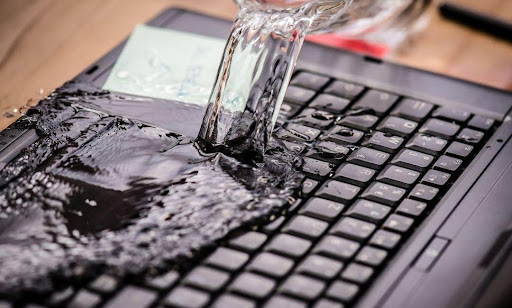
Time is your enemy when water meets electronics. But here’s what repair shops won’t tell you: waiting at least 24 hours before turning on your laptop can save it from permanent damage. Most people panic and power on too soon—that’s when the real damage happens.
Leave your laptop to dry in a well-ventilated area for at least 24 to 48 hours. The magic happens during this waiting period. Water evaporates, circuits dry out, and corrosion hasn’t had time to set in yet. The best solution is to leave it for two days—patience literally pays off here.
Position matters too. Turn your laptop upside down, place it on a towel or microfiber cloth, and let the water drain out. Think of it like an open book facing down. Gravity becomes your best friend, pulling liquid away from critical components.
Skip the rice trick—rice gets stuck in components and creates more problems. Also, hairdryer heat is strong enough to harm your laptop’s components. Room temperature with good airflow works perfectly.
Which Components Actually Need Replacing
Most repair shops want you to believe everything’s fried. Reality check: only 1 or 2 components actually need repair if you apply a drying process. The rest is just cleaning.
Components that rarely need replacing:
- Motherboard (despite what they tell you)
- RAM modules (just need cleaning)
- SSD/hard drive (if laptop wasn’t running during spill)
- Display (liquid rarely reaches it)
Components that often DO need replacing:
- Keyboards almost always need replacement, though not always immediately—it can take weeks or months to deteriorate
- Wet batteries almost always need replacement as they’re extremely sensitive
- Power adapter (if it got wet)
- Trackpad (if liquid pooled there)
The dirty secret? Most repairs involve cleaning with 90% isopropyl alcohol and a soft brush. That’s it. No magical parts replacement needed. We do this cleaning at iPhone Repair 4 Less for a fraction of what big box stores charge—and we’re honest about what actually needs replacing.
Red Flags That Signal Price Gouging
Watch for these scam tactics that scream “find another shop”:
- The instant motherboard diagnosis: If they claim motherboard failure without opening your laptop, run. Reputable shops should explain their pricing and answer questions. Real diagnosis takes time and inspection.
- The vague estimate: Shops must provide written estimates with a breakdown of parts and labor costs. No itemized quote? No deal.
- The pressure play: Deceptive shops extract personal information, start work without authorization, then claim you authorized it. Never give credit card info until work is approved and completed.
- The “everything’s damaged” claim: If they say every component needs replacing after a minor spill, get a second opinion. Get estimates from comparable shops and compare details.
- Hidden fees: Shops must disclose reassembly or inspection charges before starting work. Surprise charges = illegal in most states.
- The rush job: If technicians have difficulty diagnosing or take too long to pinpoint issues, they’re likely inexperienced. Good techs know water damage patterns instantly.
Pro tip: Get multiple estimates from different shops—this helps you understand fair market price and provides leverage in discussions. At iPhone Repair 4 Less, we provide free diagnostics and detailed quotes upfront. No surprises, no BS.
When Repair Beats Replacement Every Time
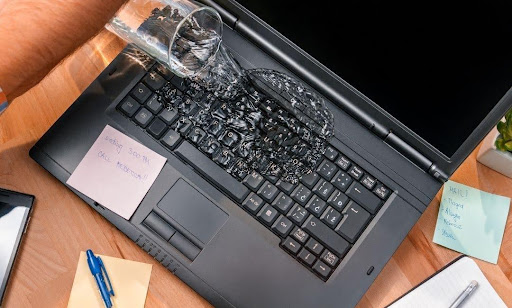
Simple math most shops won’t share: Consider replacement if repair costs exceed 25% of a new system’s price. But here’s when repair wins:
- Age matters: If your computer is only 1 or 2 years old, it’s probably worth fixing. Newer machines have better specs that’ll last years longer than budget replacements.
- The 50% rule: If repair costs are less than 50% of the laptop’s original value, repair makes sense. A $300 repair on a $1,000 laptop? Fix it.
- Component-specific damage: Single-component failures (keyboard, battery, screen) almost always justify repair. Average laptop repair is about $150—way cheaper than even budget laptops.
- High-end machines: Got a gaming laptop or MacBook Pro? These $2,000+ machines are worth fixing even at $500-$600 repair costs. You won’t find equivalent performance for that price.
- Data value: If recovering your data matters more than the laptop itself, repair gives you the best shot at full recovery without expensive data recovery services.
- Quick turnaround needed: Most repairs complete same day if parts are available. New laptop setup and data transfer takes days.
Here’s the bottom line: water damage sounds scarier than it is. Most laptops survive with proper drying and honest repair work. At iPhone Repair 4 Less, we handle water-damaged laptops daily—not just phones. Free diagnosis, fair pricing, and we’ll tell you straight if it’s not worth fixing. No appointment needed.
Stop Getting Soaked on Repair Costs with iPhone Repair 4 Less
Water damage repair doesn’t have to drain your wallet. Most shops count on your panic to inflate prices, but now you know better. The truth? Most “catastrophic” water damage just needs proper drying and an honest diagnosis.
Key takeaways that’ll save you hundreds:
- Wait 24-48 hours before powering on—patience saves 70% of wet laptops
- Most spills only damage 1-2 components, not the entire system
- Keyboard and battery usually need replacing; motherboard rarely does
- Get written estimates and compare shops—vague pricing = red flag
- Repair beats replacement if costs stay under 50% of laptop value
- Skip the rice, skip the hairdryer—room temperature drying works best
At iPhone Repair 4 Less in Lafayette, we see water-damaged laptops weekly alongside our phone repairs. We’ll diagnose your actual damage for free—no fake motherboard replacements, no surprise fees. Just honest quotes and same-day service when possible. Bring your wet laptop in, and we’ll tell you straight if it’s worth fixing.

Write a Comment