
If your Android battery drains faster than your morning coffee, you’re not alone. Most users start noticing battery issues after a year or two. But few know how to actually fix them or when it’s time for a battery repair for Android.
This guide walks you through the seven biggest warning signs along with the practical solutions to help you extend battery life before things get worse.
What You’ll Learn:
- Common Battery Issues and How to Fix Them
- How Professional Battery Repair for Android Helps
- DIY Fixes vs. Expert Help
At iPhone Repair 4 Less, we are known for our exceptional customer satisfaction and reputation. Our expert technicians diagnose hundreds of Android battery issues each month without any cost. Plus, we fix them in the best possible way.
Common Battery Issues and How to Fix Them
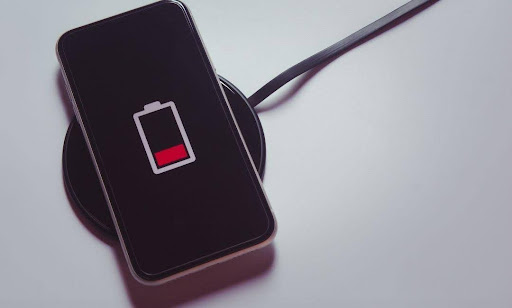
Wondering why your battery health is dropping so fast? Here are some of the most common culprits behind battery issues and their quick fixes.
1. Your Battery Dies Too Fast
Ever heard of chemical aging in your Android? This is the most common culprit of decreased battery lifespan. Other reasons include heavy apps, background updates, and continuous phone usage.
So, if your battery percentage drops from 80% to 30% in an hour, try this first:
- Use Battery Saver mode.
- Lower background activity.
- Turn off unnecessary features, such as Bluetooth, GPS, and Wi-Fi when not needed.
- Check battery usage in Settings to spot power-hungry apps.
If the problem continues, your battery cells may have weakened. In essence, it’s a sign to seek professional battery repair for Android. Experts like iPhone Repair 4 Less can test your battery health and replace it safely.
2. Your Phone Gets Hot Even When Idle
Does your phone get excessively hot while you’re scrolling or texting? It means your battery is working harder than it should. Over time, the internal components can wear out, and the battery struggles to regulate power.
So, how to avoid it? Try a few quick fixes:
- Take the case off when you charge. It helps the heat escape.
- Don’t use the phone while charging it.
- Avoid direct sunlight or heat sources, especially in the car.
If the heat doesn’t go away, the problem might not be the battery at all. It could be the motherboard or another internal part. That’s where a proper checkup helps. At iPhone Repair 4 Less, technicians run a full diagnostic before replacing any part.
3. Sudden Shutdowns at Random Percentages
What’s more frustrating than your phone turning off suddenly at 40%? This typically happens when internal calibration of the battery is off.
Here’s a quick calibration tip:
- Let your battery fully drain until the phone powers off.
- Then, charge it to 100% without interruption.
If your phone still dies early, it’s a red flag.
Note: Calibration can only help a healthy battery. A damaged one needs battery repair or replacement to restore normal function.
4. Battery Swelling or Back Cover Bulging
This one’s serious. If you see your phone’s back cover lifting slightly, stop using it right away. A swollen battery means gases have built up inside. It can leak or even catch fire.
Pro Tip:
- Never try to press the cover back in place.
- Visit a repair shop immediately.
iPhone Repair 4 Less safely removes and disposes of swollen batteries following manufacturer standards. We will also check if the swelling damages your screen or frame.
5. Charging Takes Forever
What’s worse than an Android taking hours to charge only halfway? The problem could be:
- Dirty charging port
- Incorrect or broken charging cables
- Even the battery itself.
Try these quick fixes before worrying too much:
- Clean the charging port with a soft brush or toothpick.
- Rule out a faulty charger by swapping the cable and adapter.
- Turn off fast charging in your settings and see if that makes a difference.
Does charging still feel painfully slow? The issue might be deeper. A damaged charging circuit or a worn-out battery can both cause that. Getting it checked by a professional can save you from replacing parts that are perfectly fine.
6. Inaccurate Battery Reading or Sudden Drops
Ever notice your Android jumping from 70% to 30% in a few minutes, or staying at 15% for hours before suddenly dying? That’s a sign your battery’s calibration is off.
Each lithium-ion cell has to report charge levels accurately. But when calibration drifts, your phone starts showing false readings. This can happen after long periods of overnight charging or when the battery has aged.
Temporary fix:
- Use apps to track real-time health.
Permanent fix:
- Replace the battery.
7. Your Phone Only Works While Plugged In
If your phone powers off the second you unplug it, your battery is done. It’s no longer storing any charge. Simply put, internal components have failed.
There’s no reliable DIY fix for this stage. A professional battery repair for Android service is your best option. Our technicians will check your battery, charging port, and logic board before suggesting a replacement.
Once you’ve identified what’s going wrong, the next question is how experts can help with repairing your Android battery.
How Professional Battery Repair for Android Helps
You might wonder, why not buy a new phone instead? Here’s the truth: replacing a battery is far cheaper than buying a new device.
A professional technician can:
- Diagnose the real issue: Sometimes it’s not the battery but a charging chip or loose port.
- Restore performance: New batteries can bring back lost speed and standby time.
- Protect your data: A proper repair avoids the risk of data loss or motherboard damage.
We at iPhone Repair 4 Less specialize in both Android and iPhone repairs. Our team uses OEM-grade batteries and advanced tools to ensure your phone runs like new again.
DIY Fixes vs. Expert Help
It’s tempting to order a cheap battery online and replace it yourself. But honestly, that’s risky. Modern Android phones are sealed tightly, with delicate cables under the back glass. One wrong move can damage your screen or fingerprint sensor.
| Aspect | DIY Battery Repair | Professional Repair |
| Cost | Cheaper upfront, but no warranty if things go wrong | Transparent pricing with warranty coverage |
| Tools & Skill | Requires special tools and experience | Certified technicians with advanced tools |
| Risk Factor | High. It may damage screen, connectors, or sensors | Safe handling and quality replacement parts |
| Aftercare | No waterproof resealing or testing | Proper adhesive resealing and battery diagnostics |
| Environmental Safety | Old batteries often discarded incorrectly | Safe disposal following environmental standards |
That’s why most users prefer bringing their device to certified experts rather than experimenting at home.
Get Your Battery Repair for Android Right
A dying battery doesn’t mean your phone’s done for. In most cases, it’s a simple, affordable repair. Replacing a battery costs a fraction of buying a new device. This way, you can get back the speed, standby time, and reliability you miss.
Key takeaways to remember:
- Many Android users often experience battery issues within two years of phone use.
- Knowing the warning signs can help save time and costs of Android battery repairs.
- Seeking professional help is the most efficient way to run diagnostic tests and fix the issues.
- DIY works sometimes, but it is not an ultimate solution.
At iPhone Repair 4 Less, battery repairs for Android are quick, affordable, and backed by a warranty. Most are completed the same day, often within an hour. Whether your phone overheats, charges slowly, or won’t hold power, our technicians will find the real cause before replacing anything.
Don’t wait. Come visit us or book your battery repair for Android right now. Let us get your phone running like new and restore your peace of mind today.

Write a Comment