

Your iPhone gets hot enough to fry an egg while charging. Not warm—hot. You unplug it, nervous that something’s about to catch fire or that you’ve just cooked your battery to death. You’re not paranoid. Overheating isn’t just annoying. It’s a red flag that can lead to permanent battery damage, slower performance, and a phone that dies at 3 p.m. every day.
Here’s what we’ll cover:
- Why your iPhone overheats when charging (and which causes are dangerous)
- How to tell if it’s a software glitch or a hardware failure
- Quick fixes you can try right now
- When to stop charging immediately and get professional help
- How to prevent overheating from happening again
If your phone’s running hotter than usual, iPhone Repair 4 Less in Lafayette can diagnose the issue while you wait. We’ve seen thousands of overheating cases—most are fixable in under an hour with our 1-year warranty on parts.
Why Your iPhone Overheats When Charging
Some heat is normal. Every battery generates warmth when it charges—that’s physics.
But when your iPhone feels like a frying pan? That’s a problem.
The Usual Suspects
- Fast charging creates more heat. When you use a 30-watt or higher charger, your iPhone charges faster but generates significantly more heat than a slower 20-watt adapter. The trade-off for speed is temperature.
- Your charging cable might be the culprit. Faulty or non-certified charging equipment won’t regulate current properly, causing your battery to overheat. That cheap gas station cable? It could be cooking your phone.
- You’re using your phone while it charges. Streaming, gaming, or scrolling TikTok while plugged in forces your iPhone to work double duty—charging and running demanding apps. This combination can trigger temperature warnings.
- Software bugs can spike your CPU. Apple confirmed that iOS 26 had a software bug causing excessive background activity during setup and restoration, especially affecting iPhone 16 Pro models. Buggy apps also overwork your processor.
When It’s Actually Dangerous
Your iPhone will display a temperature warning screen if it crosses the danger zone. When this happens, charging slows or stops completely to protect internal components.
If you see that warning, unplug immediately.
At iPhone Repair 4 Less, we see dozens of heat-damaged batteries every month. Most could’ve been prevented. If your iPhone consistently runs hot during charging—even without the warning—bring it in. We’ll run a diagnostic for free and tell you if it’s a battery issue, charging port damage, or something else entirely.
How to Tell If It’s Software or Hardware
Not all overheating issues are the same. True hardware overheating shuts your iPhone down completely and displays a message saying it needs to cool before it can turn on—usually for about an hour.
If the overheating disappears after a factory reset without restoring from backup, it’s likely a software issue caused by apps or settings. If it persists? Hardware problem.
Software Clues
Apps with bugs or glitches consume excessive CPU resources, and background processes—especially those constantly refreshing data or using location services—drain resources and generate heat.
Check your battery usage stats. Go to Settings > Battery. If a single app is eating up 40% of your battery, that’s your problem.
Software fixes work when:
- Overheating started after an iOS update
- Specific apps trigger the heat
- The phone cools down after a restart
Hardware Red Flags
A damaged battery may appear swollen, have reduced capacity below 80%, and show signs of overheating. Check Settings > Battery > Battery Health & Charging.
You’ve got hardware issues if:
- Your phone overheats even in safe mode
- The battery health shows significant degradation
- Heat is concentrated in one specific area (usually near the battery or charging port)
- Your iPhone gets a replacement, and the problem disappears—confirming the previous device had a hardware defect
If you’re unsure, iPhone Repair 4 Less runs free diagnostics. We’ll tell you whether it’s a $30 software fix or if your battery needs replacing.
Quick Fixes You Can Try Now
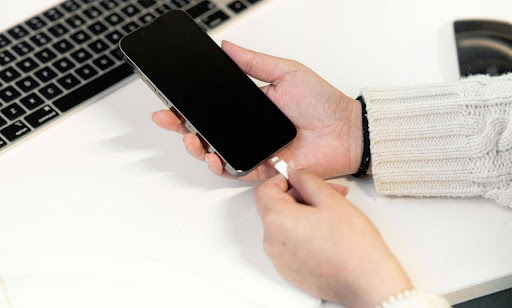
These work for most overheating cases. Try them in order.
1. Unplug and Stop Using It
If your iPhone overheats while charging, unplug it immediately—continued charging with heat indicates either unregulated current flow or internal damage.
Wait 10-15 minutes. Let it breathe.
2. Remove Your Case
Phone cases, especially insulating materials, prevent heat from dissipating effectively. Take it off while charging.
3. Close Background Apps
Running multiple apps—especially resource-intensive ones like gaming, video editing, or AR—puts a heavy load on the processor and battery, generating excess heat.
Swipe up from the home screen. Close everything you’re not actively using.
4. Turn On Low Power Mode
Go to Settings > Battery > Low Power Mode. This reduces background activity and processing demands immediately.
5. Disable Background App Refresh
Settings > General > Background App Refresh > Off. Background refresh constantly refreshes apps even when you’re not using them, making your phone work harder.
6. Update iOS and Apps
When the iPhone 16 experienced overheating issues, Apple identified a software bug in iOS 26 as the cause and released an update to fix it.
Go to Settings > General > Software Update.
If your iPhone still overheats after trying these? Time to get help.
When to Stop Charging Immediately
Some situations aren’t fixable with software tweaks. Unplug your phone right now if:
The Thermometer Icon Appears
When your iPhone exceeds its temperature threshold, it displays a warning message and may become unusable until it cools—sometimes for over an hour.
This isn’t a suggestion. It’s a safety shutdown.
It’s Too Hot to Hold
If you can’t comfortably grip your phone for more than 5 seconds, stop charging.
You Smell Burning or See Swelling
Battery swelling is serious. A swollen battery appears physically enlarged and can cause the screen to lift from the frame.
Do NOT continue using it. Swollen batteries can rupture or catch fire.
Charging Triggers Immediate Heat
Your phone shouldn’t turn into a hotplate within 2 minutes of plugging in. Several iPhone 16 Pro Max users reported their phones overheating within minutes of charging, then cycling through endless restarts until the battery died.
That’s a charging port or battery failure.
It Gets Hot Even When Not Charging
Some iPhone 12 Mini users reported phones overheating within 2-3 minutes even when idle and disconnected from data, indicating possible radio, processor, or battery hardware failure.
At iPhone Repair 4 Less, we’ve seen what happens when people ignore these warnings. A $90 battery replacement becomes a $300 logic board repair. Don’t wait. Bring it in. We’ll run diagnostics for free and fix it while you wait if it’s repairable—backed by our 1-year warranty.
How to Prevent Overheating Again
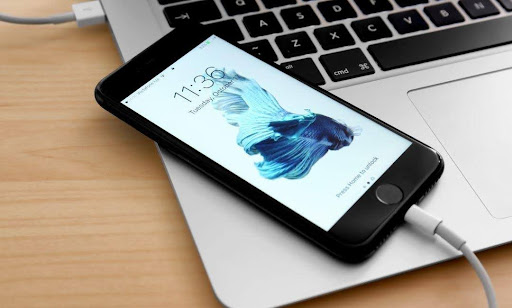
Prevention beats repair every time.
Keep Your iPhone Cool (Literally)
iPhones operate best between 0°C and 35°C (32°F to 95°F)—avoid direct sunlight, hot cars, and extreme temperatures.
Never leave your phone on the dashboard. Car interiors can hit 60°C+ in summer.
Don’t Use It While Charging
Charging while gaming or streaming forces the battery to work double duty, generating additional heat from both the processor and battery.
Charge it. Then use it.
Use Apple-Certified Cables Only
Non-manufacturer-approved cables and third-party accessories can cause overheating during charging due to poor current regulation.
That $5 gas station cable isn’t worth the risk.
Turn On Optimized Battery Charging
Settings > Battery > Battery Health & Charging > Optimized Battery Charging. This feature may pause charging at 80% and display a message that charging has suspended to cool down—this is normal and protects your battery.
Clean Your Charging Port
Dust-clogged charging ports can trap moisture and cause short circuits during charging, generating excessive heat.
Use a soft brush or compressed air. Don’t use metal objects.
Ready to Keep Your iPhone Cool with iPhone Repair 4 Less?
Your iPhone wasn’t designed to double as a hand warmer. Overheating during charging signals something’s wrong—whether it’s a software bug, a dying battery, or a faulty charger. The good news? Most issues are fixable with quick tweaks or a simple battery swap.
Key takeaways:
- Fast charging generates more heat—switch to slower adapters if overheating persists
- Software bugs cause temporary heat spikes—update iOS and close background apps
- Hardware failures need professional help—swollen batteries and charging port damage won’t fix themselves
- Prevention is cheaper than repair—use certified cables, avoid charging while gaming, and keep your phone out of hot environments
- The thermometer warning means stop immediately—continuing to charge risks permanent damage
If your iPhone still runs hot after trying these fixes, something bigger is wrong. iPhone Repair 4 Less in Lafayette diagnoses overheating issues for free and fixes most problems while you wait. Bad battery? We’ll replace it in 30 minutes with a 1-year warranty. Damaged charging port? Fixed same-day. Call us at (337) 255-2898 or stop by—we’ll get your phone running cool again.

Write a Comment