
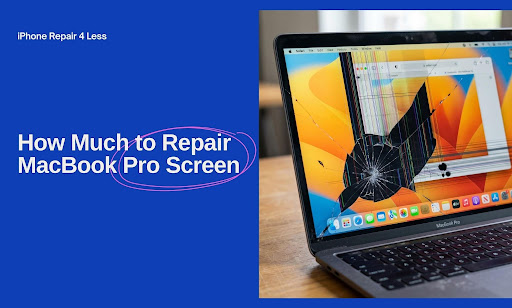
That tiny crack you noticed last week now stretches halfway across the display. You’ve been Googling repair costs, and the numbers swing from $99 to $900. So which is real?
The truth: MacBook Pro screen repair pricing isn’t a fixed number. It depends on your model, your damage, and where you take it. We’ve broken down every cost factor so you can walk into a shop knowing what you should actually pay, and not a dollar more.
Here’s what we’ll cover:
- Real screen repair costs by MacBook Pro model and year
- Apple Store vs third-party repair pricing, side by side
- What AppleCare+ actually covers (and what it doesn’t)
- The 4 hidden factors that swing your final bill
- Screen issues that aren’t actually broken screens (and cost way less to fix)
When your screen finally gives up on you, iPhone Repair 4 Less is your local pit stop in Lafayette. We diagnose free, fix fast, and back every repair with a one-year warranty. No surprise fees, no upsell games.
Real Screen Repair Costs by Model
MacBook Pro screen repair costs don’t follow one flat rate. Your bill swings based on the year, screen size, and whether the model uses a sealed display assembly. Older MacBooks tend to land on the cheaper end. Newer Retina, mini-LED, and OLED panels? Those climb fast.
Here’s a snapshot of what most independent repair shops charge in 2026 for out-of-warranty MacBook Pro screen replacements:
| MacBook Pro Model | Screen Size | Estimated Repair Cost |
| MacBook Pro 13″ (2016 to 2019) | 13-inch | $329 to $549 |
| MacBook Pro 15″ (2016 to 2019) | 15-inch | $429 to $649 |
| MacBook Pro 13″ M1/M2 (2020 to 2022) | 13-inch | $449 to $649 |
| MacBook Pro 14″ M1/M2/M3 Pro | 14-inch | $599 to $899 |
| MacBook Pro 16″ M1/M2/M3 Pro/Max | 16-inch | $799 to $1,100 |
| MacBook Pro 14″/16″ M4 (2024 to 2025) | 14″ / 16″ | $899 to $1,200+ |
Apple’s official pricing tends to run $455 to $755 for Retina-display MacBook Pros, and recent M4 models can push closer to $900 or more out-of-warranty.
Why the wide price gaps
A few reasons explain why two MacBook Pros can have wildly different repair costs:
- Sealed display assemblies: Newer MacBook Pros bundle the LCD, glass, hinges, and cables into one unit. Crack one piece, replace the whole thing.
- Panel scarcity: M4 and Pro/Max display parts are limited, which jacks up costs.
- Labor complexity: Bigger screens take longer to calibrate and reseat.
Pro tip: Always ask the shop whether they’re quoting a full display assembly swap or just an LCD panel swap. The price gap can be hundreds of dollars.
Need a real quote without paying just to ask? At iPhone Repair 4 Less, diagnosis is always free. We’ll match your model to a fair, upfront price, no guessing games.
Apple Store vs Third-Party Shops
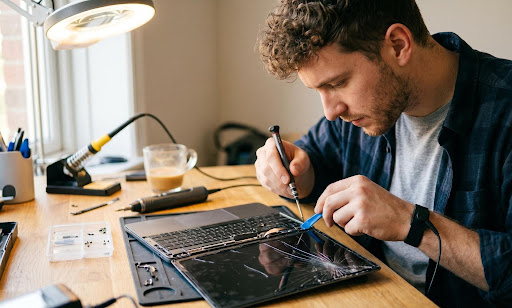
Walking into the Apple Store feels like the “safe” choice. It’s also the most expensive one in nearly every case. Independent repair shops can charge 30% to 50% less for the same screen swap, often with faster turnaround.
Here’s how the two stack up:
| Factor | Apple Store | Third-Party Shop |
| Average cost (out-of-warranty) | $455 to $900+ | $329 to $750 |
| Turnaround time | 5 to 21 days (often mailed out) | Same day to 3 days |
| Parts used | Genuine Apple OEM | OEM or high-grade aftermarket |
| Diagnostic fee | Free at Genius Bar | Often free at local shops |
| Warranty on repair | 90 days | Varies (some up to 1 year) |
| Convenience | Appointment-only | Walk-ins welcome |
When Apple is the smarter call
- You still have AppleCare+ active
- Your MacBook is brand new, and you want OEM parts locked in
- The damage involves the logic board or sensors, not just the panel
When a third-party wins
- You’re out of warranty and don’t want to gamble $800+
- You need it fixed this week, not next month
- Your MacBook is 3+ years old, and you’d rather not sink Apple Store money into aging hardware
Most folks fall into the second bucket. That’s where local shops like iPhone Repair 4 Less come in. We back every MacBook repair with a 1-year warranty and never charge for diagnosis. If we can’t fix it, you don’t pay a dime.
What AppleCare+ Actually Covers
AppleCare+ sounds bulletproof. In practice, it has some sharp edges that most people don’t notice until they’re holding a cracked screen and a fee receipt.
What’s covered
- Accidental screen damage at a flat $99 service fee
- Other accidental damage (drops, dents, liquid) at $299 per incident
- Battery replacement when capacity drops below 80%
- Up to 3 years of priority phone and chat support
- Unlimited accidental damage repairs (changed from the old 2-incident cap)
What’s NOT covered
- Loss or theft of your MacBook (Mac plans don’t include this option)
- Cosmetic damage that doesn’t affect function
- Unauthorized modifications or third-party part installs
- Damage from neglect, such as dust buildup or corrosion over time
- Anything that happened before you activated the plan
The fine print most people miss
Your $99 screen-only fee jumps to $299 the moment there’s any extra damage. Bent enclosure, broken hinge, dented corner? That’s the higher tier. Apple’s technicians inspect every device before applying the Tier 1 rate.
Also worth knowing: AppleCare+ must be purchased within 60 days of your MacBook’s original sale date. Miss that window, and you’re stuck with out-of-warranty pricing.
For more on extending the life of your Apple gear, check our guide on how to extend the life of your iPhone 13 Pro, much of which applies to MacBook care too.
4 Hidden Factors That Swing Your Bill
Two MacBook Pros walk into a repair shop with the same cracked screen. One walks out with a $329 bill. The other? $1,100. Why?
Here are the four variables that quietly decide your final number:
1. Sealed display assemblies
Newer MacBook Pros (2016 and later) ship with the LCD, glass, hinges, antennas, and cables fused into one sealed unit. Crack the glass, and the whole assembly has to be swapped. Older models let technicians replace just the broken layer, which costs a fraction.
2. Panel type and resolution
Retina, Liquid Retina XDR, and the new OLED panels on M4 Pros all carry premium part costs. The brighter and sharper the display, the more you’ll pay. Mini-LED panels alone can run $500+ wholesale.
3. Additional damage you didn’t notice
Hairline cracks in the lid casing, a slightly bent hinge, or a single dead pixel cluster can push your repair from Tier 1 to Tier 2. Always get a written diagnostic before approving the repair.
4. Where do you live
Urban shops in major metros charge 10% to 15% more for the same repair compared to smaller cities. Lafayette pricing tends to land well below big-city rates. That’s the regional edge we work into our quotes at iPhone Repair 4 Less.
Pro tip: Ask the shop to itemize parts vs labor. If parts are 80%+ of the bill, you’re likely looking at a sealed-assembly job. If labor dominates, the shop may be padding hours.
Issues That Aren’t Actually Broken Screens
A surprising chunk of “broken MacBook screens” we see in the shop aren’t actually broken at all. They’re cheaper, faster fixes hiding under panic.
Before you commit to a $500+ display swap, rule these out:
- Loose display cable: The ribbon cable connecting your screen to the logic board can wiggle loose after a drop. Fix cost: $50 to $150.
- Backlight failure: Screen looks black, but the image is still there (shine a flashlight to check). Often just an LED driver issue. Fix cost: $100 to $250.
- GPU artifacting: Weird lines, color blobs, or flickering may be graphics chip trouble, not the panel. Diagnostic required.
- Stuck pixels or pressure marks: Sometimes they fix themselves. Sometimes a gentle warm compress works. Sometimes it’s a software glitch fixed by an SMC reset.
- Sleep/wake bugs: Black screen on wake-up could be a macOS issue, not hardware. Try resetting NVRAM first.
How to test before you panic
- Connect your MacBook to an external monitor. If the external display works fine, your logic board and GPU are healthy.
- Shine a flashlight at the screen at an angle. If you see a faint image, it’s a backlight problem, not a dead display.
- Boot into Safe Mode (hold Shift on startup). If the screen behaves normally, you’re chasing a software bug.
Running through these takes 10 minutes and could save you hundreds. Not sure where to start? Walk into iPhone Repair 4 Less, and we’ll run a free diagnostic before you commit to anything. We’d rather charge you $80 for a cable fix than $700 for a screen you didn’t need.
Crack the Code on MacBook Pro Screen Repairs
Pricing a MacBook Pro screen repair doesn’t have to feel like decoding a riddle. Once you know your model, your warranty status, and the real damage, the number on the invoice stops being a mystery.
Here’s what to keep in your back pocket:
- Screen repair costs swing from $329 to $1,200+, depending on your model and year
- Third-party shops typically run 30% to 50% cheaper than Apple Store pricing
- AppleCare+ covers screen damage at a $99 flat fee, but only if there’s no extra damage
- Sealed display assemblies, panel type, hidden damage, and your zip code all move the final price
- Always rule out loose cables, backlight failures, or software bugs before approving a full-screen swap
When the worry sets in, iPhone Repair 4 Less is your no-pressure first stop in Lafayette. We diagnose for free, quote you straight, and back every MacBook Pro screen repair with a 1-year warranty. Skip the Apple Store wait and the inflated bill.
Frequently Asked Questions
How much is it to fix a MacBook Pro screen without AppleCare?
Without AppleCare, MacBook Pro screen repair costs $329 to $1,200+. Third-party shops charge $329 to $750. Apple Store pricing runs $455 to $900+.
How much does it cost to fix a screen for a MacBook Pro?
MacBook Pro screen repair costs $329 to $1,200+, depending on your model, year, screen size, and whether you use Apple, AppleCare+, or a third-party repair shop.
How much does it cost to fix a MacBook Pro screen at the Apple Store?
Apple Store MacBook Pro screen repair costs $455 to $900+ out-of-warranty. With AppleCare+, you pay a flat $99 service fee for screen-only damage.

Write a Comment