
Your MacBook used to last all day. Now you’re tethered to the wall by lunch. So what gives, and is it really time for a new battery, or is your Mac just crying wolf?
Battery health on MacBook Pros is more nuanced than people think. Some “dying” batteries have years of life left. Others fail silently while you blame the charger. We’ve cut through the noise so you know exactly when to repair, what it’ll cost, and where to skip the Apple Store markup.
Here’s the full rundown:
- Real battery repair costs by MacBook Pro model and year
- The 6 warning signs your battery actually needs replacing
- Apple Store vs third-party vs DIY repair options compared
- What “Service Recommended” really means (and when to ignore it)
- Smart habits that double your next battery’s lifespan
When the charge runs out, the team at iPhone Repair 4 Less handles MacBook Pro battery swaps the same way we fix iPhones: fast, affordable, and backed by a 1-year warranty. Most jobs get done while you wait. No appointment, no markup.
Real Costs by Model and Year
MacBook Pro battery repair pricing isn’t one flat number. The age of your machine, the model, and where you take it all swing the final bill. Older models are easier to fix and cheaper to part out. Newer ones use glued-in batteries that demand specialized tools.
Here’s what most shops charge in 2026:
| MacBook Pro Model | Year Range | Apple Cost | Third-Party Cost |
| MacBook Pro 13″ (Intel) | 2012 to 2015 | $199 to $249 | $99 to $179 |
| MacBook Pro 13″ Touch Bar | 2016 to 2019 | $249 to $329 | $149 to $229 |
| MacBook Pro 15″ | 2015 to 2019 | $249 to $349 | $179 to $279 |
| MacBook Pro M1/M2 13″ | 2020 to 2022 | $249 to $329 | $179 to $249 |
| MacBook Pro 14″ M-series | 2021 to 2025 | $299 to $399 | $199 to $299 |
| MacBook Pro 16″ M-series | 2021 to 2025 | $329 to $429 | $229 to $329 |
Why the gap between Apple and third-party
Apple charges a flat service fee that wraps labor, parts, and a 90-day warranty. Independent shops often use the same OEM-grade cells but skip the corporate overhead, which is why you’ll see prices land $100 or more below Apple’s quote.
Pro tip: Older MacBook Pros (pre-2016) had screwed-in batteries that some shops fix for under $100. If your model is from this era, don’t pay Apple Store prices.
For a fast, upfront quote on your exact model, our MacBook repair team handles the diagnosis at no charge.
6 Warning Signs Your Battery Needs Replacing
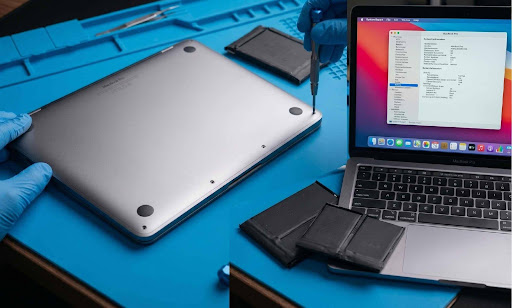
Not every battery hiccup means it’s time for a swap. But certain patterns scream “replace me now” loud enough that ignoring them just costs you more later.
Watch for these six red flags:
1. Massive drop in runtime
Your MacBook used to hit 8 to 10 hours unplugged. Now you’re scrambling for a charger by lunch. If the runtime has dropped by 50% or more, the battery is degraded.
2. Unexpected shutdowns
Your Mac dies at 30% or 40%, even when macOS still shows charge. That’s a battery that can’t deliver steady voltage anymore.
3. Charge sticks at one number
The battery freezes at 1%, 25%, or any other percentage and refuses to budge. Either the battery or the charging circuit is failing.
4. Visible swelling or bulging
If your trackpad feels weird, your MacBook rocks on a flat table, or the bottom case bulges, stop using it immediately. A swollen lithium-ion battery is a fire hazard.
5. Cycle count over 1,000
macOS tracks every full charge cycle. Most MacBook Pros are rated for 1,000 cycles. Past that, capacity drops fast.
6. “Service Recommended” in Battery settings
This one’s not a death sentence (more on that below), but it’s a green light to start planning.
A swollen battery is the only sign that demands same-day action. Everything else can wait a few days while you compare quotes.
Apple vs Third-Party vs DIY
Three paths to a fresh battery, three very different price tags. Here’s the honest breakdown:
| Option | Cost Range | Turnaround | Warranty |
| Apple Store | $199 to $429 | 3 to 7 days | 90 days |
| Third-Party Shop | $99 to $329 | Same day to 2 days | 90 days to 1 year |
| DIY | $60 to $130 (parts) | 1 to 4 hours of your time | None |
When Apple makes sense
You’ve got an active AppleCare+ plan, your MacBook is under one year old, or your battery health has dropped under 80% while still in warranty. Apple replaces it for free in that last scenario.
When a third-party wins
You’re out of warranty and want the same OEM-grade cells without the markup. Independent shops also turn the job around faster. Many back the work with longer warranties than Apple’s standard 90 days.
When DIY is a gamble
Pre-2015 MacBook Pros had screwed-in batteries that DIY-friendly folks could swap in under an hour. Newer models use adhesive pull-tabs or full glue mounting. One wrong pry and you’re puncturing a lithium-ion cell, which is a real fire risk.
Also worth knowing: DIY swaps on M-series MacBooks can disable battery health reporting until macOS re-pairs the new battery, and some cheap aftermarket cells never pair at all.
For a hands-off fix that skips both the Apple wait and the DIY risk, iPhone Repair 4 Less handles most battery swaps while you wait.
What “Service Recommended” Really Means
That little “Service Recommended” tag in Battery settings sends people into a panic. Here’s the calm truth: it’s not a hardware failure. It’s macOS telling you your battery’s capacity has dropped below normal, or that it’s behaving inconsistently.
In Apple’s own words, you can keep using your Mac safely.
The three battery health statuses
- Normal: Battery is healthy and holding charge as expected.
- Service Recommended: Capacity is reduced, or behavior is off, but the battery is still safe to use.
- Replace Now / Service Battery: The battery is on its last legs and needs swapping.
When to act vs when to wait
Check your cycle count before deciding. Open the Apple menu, hold Option, click System Information, then Power. If your cycle count is under 1,000 and the battery still gets you through half a day, you can wait.
If the cycle count is past 1,000, runtime is brutal, or you’re seeing random shutdowns, the warning is real, and replacement is overdue.
Quick fixes that sometimes clear the warning
- Reset the SMC (System Management Controller). Steps vary by model, but it can fix software-side battery glitches.
- Update macOS. A few releases have shipped false “Service Recommended” warnings that got patched later.
- Recalibrate (older Intel Macs only). Charge to 100%, run it down to zero, then recharge fully.
If the warning vanishes after an SMC reset or macOS update, your battery is probably fine. If it returns within a week, start saving for a replacement.
Habits That Double Battery Lifespan
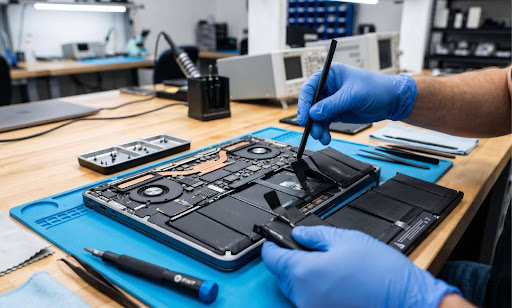
Your next battery doesn’t have to die at the 1,000-cycle mark. A few small habits can stretch its life by years.
Charge smarter, not harder
- Don’t drain to 0%. Lithium-ion batteries hate being empty. Plug in around 20% to 30%.
- Avoid constant 100% charges. Sitting at full charge, plugged in 24/7, accelerates wear.
- Let macOS manage it. Optimized Battery Charging in System Settings learns your patterns and holds the charge at 80% until you need a full top-up.
Keep it cool
Heat is your battery’s enemy. A MacBook running on a bed or couch traps airflow and bakes the cells.
- Use it on a hard, flat surface
- Skip direct sunlight and parked cars
- Clean dust from vents twice a year
Trim background drain
Running 40 Chrome tabs, six apps, and a Slack notification storm chews through your battery and stresses the cells. Quit what you’re not using. Check Activity Monitor under the Energy tab to spot the worst offenders.
Store it right
If your MacBook will sit unused for months, charge it to 50% before powering down. Storing at full charge or empty both damage the cells over time.
Pro tip: Average MacBook Pro battery lifespan is 3 to 5 years. With smart habits, many users push past 7. The cheapest battery is the one you don’t have to replace.
When the time finally comes, walk into iPhone Repair 4 Less for a fast, fair swap backed by our 1-year warranty.
Recharge Your MacBook With iPhone Repair 4 Less
A dying MacBook Pro battery doesn’t have to drain your wallet too. Once you know the warning signs, the real costs, and which “Service Recommended” alerts to ignore, you save hundreds and skip unnecessary swaps.
Tuck these into your memory:
- Battery repair costs range from $99 to $429, depending on model and shop
- Six clear warning signs separate a tired battery from a truly dead one
- Third-party shops save you $100+ versus Apple, often with longer warranties
- “Service Recommended” means reduced capacity, not danger, so you can plan, not panic
- Smart charging habits and good airflow can stretch lifespan from 3 years to 7+
When swap day finally comes, iPhone Repair 4 Less keeps it refreshingly simple. Free diagnosis, walk-in service, and most battery jobs done while you wait. Every repair carries a 1-year warranty. No appointments, no Apple Store wait, no markup games.
Frequently Asked Questions
How much does Apple charge to replace a MacBook Pro battery?
Apple charges $199 to $429 for MacBook Pro battery replacement, depending on the model. Newer 14″ and 16″ M-series models cost the most.
How long does a MacBook Pro battery last?
A MacBook Pro battery typically lasts 3 to 5 years or about 1,000 charge cycles. Smart charging habits can stretch this past 7 years.
Can I replace my MacBook Pro battery myself?
Yes, but it’s risky on post-2015 models. Glued-in batteries can puncture during removal, creating a fire hazard. Most users save money going to a repair shop.
Does AppleCare+ cover MacBook Pro battery replacement?
AppleCare+ covers battery replacement only if the capacity drops below 80%. Normal wear and tear isn’t covered. Accidental damage costs $299 per incident.
Is it worth replacing a MacBook Pro battery?
Yes, if your MacBook is under 6 years old. A $150 to $300 battery swap beats buying a new MacBook that starts at $999+.

Write a Comment