

Your iPad won’t charge. You’ve tried three different cables. Panic sets in. But here’s the twist: nine out of ten “broken” iPad charging ports aren’t actually broken. They’re just packed with pocket lint.
Charging port issues are the most misdiagnosed iPad problem out there. Many folks pay for full port replacements when a $20 cleaning would have done the trick. We’ve mapped out the signs, costs, and shop options so you know exactly when to clean, when to repair, and where to go without overpaying.
Here’s what we’ll cover:
- 6 signs your iPad charging port needs attention
- Real repair costs by iPad model and shop type
- Clean vs replace: which fix your port actually needs
- 4 shop options compared, from Apple to walk-ins
- Simple habits to keep your port working for years
When your iPad refuses to charge, iPhone Repair 4 Less is Lafayette’s go-to fix. Free diagnosis, walk-in service, and most charging port jobs done while you wait. Every repair backed by a 1-year warranty.
6 Signs Your Port Needs Attention
Not every charging problem means the port is dead. But certain patterns are pretty loud about telling you something’s off.
Watch for these six red flags:
1. The cable feels loose
You wiggle the cable, and the charging icon flickers on and off. That’s a sign the port pins are worn, bent, or clogged with debris blocking a firm connection.
2. Charging only works at a specific angle
You have to hold the cable just so to get it charging. This usually means internal pins are misaligned or the port has physical wear from repeated plugging.
3. Charging is way slower than usual
A full charge that used to take 2 hours now takes 5? Dust or lint in the port is likely blocking the data pins that negotiate fast charging speeds.
4. No response at all
You plug in, and nothing happens. No charging icon, no vibration, no screen wake. This points to internal damage or a completely blocked connection.
5. Visible damage or debris
Take a flashlight and peek inside. Bent pins, corrosion, burn marks, or a wall of lint are all clear signals. Some are cheap fixes. Others aren’t.
6. Overheating during charging
If the port area gets unusually hot, moisture or corrosion may be causing electrical resistance. Stop charging immediately, since heat can damage the logic board.
Pro tip: Before assuming the port is the problem, test two other cables and two other chargers. Faulty cables and adapters cause about 40% of “port” complaints.
If your iPad still won’t cooperate after cable and adapter swaps, our guide on how much to repair iPhone charging port covers many of the same diagnostic steps that apply to iPads.
Real Costs by Model and Shop
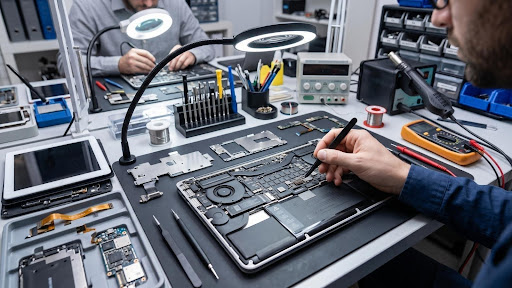
iPad charging port repair costs bounce around more than most people expect. Your model, your shop choice, and the type of damage all move the number.
Here’s what most shops charge in 2026:
| iPad Model | Apple / AASP | Independent Shop | DIY Parts Only |
| iPad (base, 9th/10th/11th gen) | $199 to $299 | $79 to $150 | $25 to $50 |
| iPad Mini (all recent) | $299 to $399 | $99 to $180 | $30 to $60 |
| iPad Air (M-series) | $299 to $449 | $129 to $200 | $40 to $75 |
| iPad Pro 11″ | $449 to $649 | $149 to $250 | $50 to $90 |
| iPad Pro 12.9″/13″ | $549 to $649 | $179 to $299 | $60 to $110 |
What do the price ranges cover
- Cleaning only: $20 to $50 at most shops (some do it free during diagnostic)
- Port replacement: The full range shown above
- Port + logic board damage: Adds $100 to $300 on top
Why iPad Pro repairs cost more
- USB-C ports are more complex than Lightning
- Thunderbolt-capable ports on Pro models have extra data pins
- Tightly bonded internals on Pro models require more disassembly
AppleCare+ math
AppleCare+ for iPads costs about $79 to $149 upfront. A charging port repair under AppleCare+ runs a $49 service fee. Without it, you’re paying full out-of-warranty pricing.
Pro tip: Independent shops usually beat Apple pricing by 50% to 70%. For older iPad models, that gap is even wider, since Apple sometimes refuses to service devices older than 7 years.
For a quick, upfront quote on your specific iPad model, our iPad repair team diagnoses at no charge.
Clean vs Replace: Which Fix You Need
Here’s the secret most repair shops won’t lead with: a lot of “broken” iPad charging ports just need a thorough cleaning. Pocket lint, dust, and food crumbs pack into the port over months. Result: no clean electrical contact.
Try the cleaning route first. Save yourself $100+.
When cleaning is likely enough
- The port looks visibly clogged when you shine a flashlight in
- Charging worked fine a week ago, and gradually got worse
- The cable connects loosely but still catches occasionally
- No signs of physical damage or corrosion
How to safely clean your port at home
- Power off your iPad completely.
- Use a wooden or plastic toothpick (never metal) to gently loosen debris.
- Aim a compressed air can at the port from an angle, in short bursts.
- For stubborn debris, dip a toothpick lightly in 99% isopropyl alcohol, then use it to sweep out the port.
- Wait 15 minutes for evaporation, then test.
When replacement is unavoidable
- The cable no longer fits or falls out completely
- Visible bent, broken, or missing pins
- Signs of rust, corrosion, or burn marks
- Charging works with zero cables, even after cleaning
- The charging port is loose or wobbles inside the case
The middle ground: professional cleaning
Some independent shops offer a professional port cleaning service for $20 to $40. They use specialized micro-tools and inspection scopes to reach debris you can’t touch at home. This is often cheaper than a full port swap.
Pro tip: If you’re unsure, ask the shop to check first, quote second. A trustworthy tech will tell you honestly whether you need cleaning or replacement, not upsell you into the bigger job.
At iPhone Repair 4 Less, we run this exact clean-first check on every iPad charging issue that walks through the door. Free diagnosis, no upsells.
4 Shop Options Compared
Where you take your iPad decides your final price, your wait time, and your warranty. Here’s how the four main options really stack up.
| Shop Type | Cost Range | Turnaround | Warranty |
| Apple Store | $199 to $649 | 3 to 14 days | 90 days |
| AASP (Best Buy, Micro Center) | $199 to $649 | 5 to 10 days | 90 days |
| Independent Shop | $79 to $299 | Same day to 2 days | 90 days to 1 year |
| Mall Kiosk | $79 to $199 | 1 to 3 hours | Often none |
Apple Store
Genuine parts, certified techs, and the highest prices. Apple often swaps the whole iPad rather than fixing the port, which is why costs jump so high. Best if you have AppleCare+.
Authorized Service Provider
Same OEM parts, same Apple pricing structure. Best Buy Geek Squad and Micro Center offer these. Slightly faster than shipping to Apple, but same overall cost.
Independent repair shop
The value pick for out-of-warranty iPads. Reputable independent shops use OEM or premium aftermarket parts, offer same-day fixes, and often back the repair with a 1-year warranty. Quality varies, so vet the shop.
Mall kiosk
Convenient for simple jobs, but parts quality is often bargain-bin. No warranty on many, no accountability if things go wrong. Fine for a quick cleaning. Not for port replacement.
Which is right for you
- iPad under warranty or with AppleCare+ → Apple or AASP
- Older iPad, out of warranty → Independent shop
- You value a written warranty and quick turnaround → Independent shop
- You have an iPad Pro with logic board concerns → Apple or specialist AASP
Pro tip: For step-by-step guidance on picking the right repair shop, our full breakdown on top tips for choosing the best local cell phone repair shop applies just as well to iPads.
For Lafayette, Eunice, Opelousas, and surrounding areas, iPhone Repair 4 Less sits comfortably in the independent shop sweet spot with the warranty backing to match.
Habits to Keep Your Port Healthy

The cheapest charging port repair is the one you never need. A few small habits stretch port life by years.
Daily habits that protect your port
- Cover the port when not in use: Silicone port plugs cost $5 and block lint completely
- Use a case with a port cover: Many rugged cases include a flap over the charging area
- Charge with the same cable most of the time: Constant plugging and unplugging wears the pins faster
- Support the cable when plugged in: Don’t let the weight of the cable dangle, which strains the port
Cleaning routine to build in
- Blow out the port monthly with compressed air, iPad powered off
- Inspect with a flashlight every few weeks for visible debris
- Skip metal tools always, including SIM ejectors, safety pins, and paperclips
Environment matters
- Avoid pockets with lint (jeans, hoodies) as your default carry spot
- Keep it out of dusty spaces like garages, workshops, and kitchens
- Never charge on the beach or near water, since sand and moisture destroy ports fast
- Watch the temperature: Extreme heat softens port adhesive and warps internal pins
Cable and charger care
- Use MFi-certified cables to avoid pin wear from cheap knockoffs
- Replace frayed cables immediately, since damaged cables can bend port pins
- Plug in straight, not at angles, which puts sideways pressure on the port
- Unplug by holding the cable head, never yanking the cord
Pro tip: iPad batteries typically last 3 to 5 years, but the charging port often gives out first. Good habits keep both alive longer. For more on maximizing your device’s lifespan, our guide on tips saving iPhone battery life covers principles that apply to iPad care too.
If those habits arrive too late and your iPad still won’t charge, iPhone Repair 4 Less is your fast, fair fix in Lafayette. Free diagnostic, most repairs done while you wait, and a 1-year warranty on every port job. Walk in today or call (337) 255-2898 for an upfront quote.
Charge Back to Life With iPhone Repair 4 Less
A dead iPad charging port isn’t the end of the world, or the wallet. Once you know the warning signs, the shop options, and the clean-vs-replace distinction, you save both money and time. Keep these takeaways handy:
- Loose cables, angled charging, and slow charging are your top warning signs
- Cleaning fixes a huge chunk of “broken” ports for $20 to $40
- Independent shops charge 50% to 70% less than Apple for the same port swap
- Repair costs range from $79 to $649, depending on the iPad model and shop type
- Silicone port covers, straight plugging, and monthly cleaning prevent 80% of port failures
When your iPad refuses to charge, iPhone Repair 4 Less is Lafayette’s fast, fair fix. Free diagnosis, walk-in service, and most port jobs done while you wait. Every repair is backed by a 1-year warranty. Skip the Apple Store wait and call (337) 255-2898 for a same-day quote.
Frequently Asked Questions
How much does it cost to fix an iPad charging port?
iPad charging port repair costs $79 to $299 at independent shops and $199 to $649 at Apple, depending on model and damage extent.
Can an iPad charging port be repaired?
Yes. Most iPad charging ports can be cleaned or replaced. Cleaning costs $20 to $40, while full port replacement runs $79 to $299 at independent shops.
How do I know if my iPad charging port is broken?
Loose cable fit, charging only at certain angles, extremely slow charging, or no response when plugged in are the top signs of a damaged port.
Does Apple fix iPad charging ports?
Yes, but Apple often swaps the entire iPad instead of repairing the port. Cost ranges from $199 to $649, or a $49 fee with AppleCare+ coverage.
Is it worth replacing an iPad charging port?
Yes, if repair costs are under 50% of your iPad’s used value. A $100 to $200 port fix on a $500+ iPad makes strong financial sense.
Write a Comment