

Spilled coffee on your laptop? Keys sticking like crazy? Before you panic-buy a new laptop, here’s something wild: most people don’t realize keyboard repairs cost less than their monthly Netflix subscription. We’re talking $50-$200 versus dropping $800+ on a new machine.
Your laptop keyboard can be fixed, and it’s probably cheaper than you think. Here’s what we’ll cover:
- Average repair costs by laptop brand
- DIY fixes that actually work vs ones that’ll fry your motherboard
- When repair beats replacement every time
- Red flags that scream “run” from certain repair shops
We fix way more than phones at iPhone Repair 4 Less. Laptop keyboards are actually one of our most common repairs — usually knocked out same-day while you grab lunch. No appointment needed.
Average Repair Costs by Laptop Brand
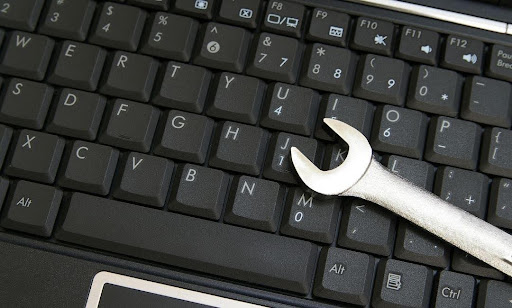
Your laptop brand directly impacts how much you’ll shell out for keyboard repairs. The cost of a keyboard replacement for a PC laptop is typically between $100 and $120. But that’s just the tip of the iceberg.
Budget-Friendly Brands ($50-$120)
Standard PC brands won’t break the bank:
- Dell: $80-$180 (Dell laptop keyboard repairs usually fall on the lower end of the spectrum, typically costing between $80-$180.)
- HP: $80-$150
- Lenovo: $80-$150
- Acer: $70-$120
- ASUS: $75-$130
These brands use standardized parts that repair shops stock regularly. You can even find replacement keyboards online for $20-$40 if you’re brave enough to DIY.
Premium PC Brands ($150-$300)
Gaming and high-end laptops cost more because they’re complicated:
- Gaming laptops (Razer, MSI, Alienware): $150-$400
- Microsoft Surface: $200-$350
- Dell XPS: $180-$280
High-end laptops with backlit keyboards or gaming-specific features often incur higher repair costs, usually between $150-$400. These keyboards pack RGB lighting, mechanical switches, and other fancy features that jack up the price.
Apple: The Wallet Buster ($250-$800)
MacBooks are in their own expensive universe:
- MacBook Air: $250-$450
- MacBook Pro 13″: $300-$600
- MacBook Pro 16″: $400-$800
The cost of replacing the keyboard for a Mac laptop varies greatly between models. Why so pricey? Apple doesn’t just replace the keyboard — they swap the entire top case assembly, including the trackpad and sometimes the battery.
Without the AppleCare+ extended warranty, the fee to replace your MacBook Pro’s keyboard at the official Apple store will be astronomical. With AppleCare+? You’re looking at about $125. Without it? Prepare for sticker shock.
Water Damage: The Wild Card
Spilled your coffee? Water damage changes everything:
- PC laptops: Add $50-$200 to base price
- MacBooks: Those repairs from Apple will cost you anywhere from around $600-$1,300, depending on the size and state of your laptop.
These repairs typically range from $150-$400 in Denver, depending on the severity of the damage and response time.
Location Matters
Where you live affects pricing:
- Major cities: 20-30% higher than average
- Rural areas: Often cheaper, but fewer options
- College towns: Competitive pricing due to high demand
Quick Cost Comparison Table
| Brand | Basic Repair | Full Replacement | Water Damage |
| Budget PC | $50-$80 | $80-$150 | $150-$250 |
| Premium PC | $100-$150 | $150-$300 | $250-$400 |
| MacBook | $250+ | $300-$800 | $600-$1,300 |
Pro tip: Get quotes from at least three shops. Always check your warranty status first – many laptops come with 1-3 year warranties that might cover keyboard repairs.
Here’s where iPhone Repair 4 Less comes in handy. We fix way more than just phones — laptop keyboards are actually one of our bread-and-butter repairs. Our techs have seen everything from sticky keys to complete water damage disasters, and we stock parts for most major brands to keep costs down.
DIY Fixes That Work vs Ones That’ll Fry Your Motherboard
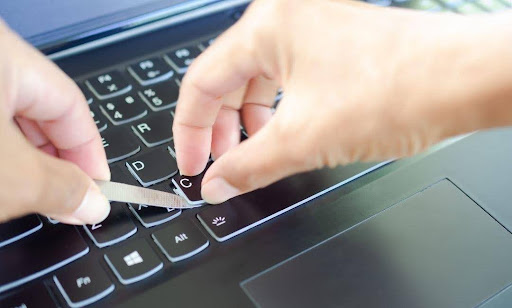
Let’s get straight to it.
Safe DIY Fixes ✅
Single Key Problems:
- Reattaching loose keys: If the keycap is loose but still attached to the laptop, it is often fixed by pressing down on the keycap.
- Cleaning sticky keys: Compressed air + 70% isopropyl alcohol on cotton swabs
- The straw trick: Cut off a little more than an inch of a clean plastic straw. Fold the straw in half lengthwise and insert it into the bottom of the key.
Software Solutions:
- Updating/reinstalling keyboard drivers
- Checking language settings
- Running malware scans
External Keyboard: USB keyboards are cheap and easy to use. Just plug one in and start typing. Zero risk, instant fix.
Risky But Doable ⚠️
Full Keyboard Replacement:
- Only if you find an exact model match
- Carefully flip the keyboard over (don’t pull it completely out yet). Locate the ribbon cable connecting the keyboard to the motherboard
- One wrong move with the ribbon cable = dead motherboard
Water Damage Recovery:
- Remember to unplug or remove the battery, flip your keyboard over to drain excess water, and use a lint-free cloth to soak up moisture.
- Wait 24-48 hours minimum before powering on
NEVER Do This ❌
The Motherboard Killers:
- Using rice for water damage – Avoid using paper towels or rice as they can introduce more moisture or dust particles.
- Hairdryer/heat gun – melts components
- Any glue whatsoever – Do not under any circumstance use glue to repair your keys. This causes the key to malfunction.
- Forcing ribbon cables – instant $500+ motherboard damage
- Working with power on – electrocution + fried components
Red Flags to Stop Immediately:
- Instances, like unusual smells or visible burns, can signify electrical damage.
- Sparks or smoke
- Multiple keys failing simultaneously
- If troubleshooting steps don’t resolve the issue, expert intervention becomes necessary.
When DIY Costs More Than Professional Repair
This method provides an opportunity to learn more about your device, but comes with its own risks, such as potential damage from incorrect installation.
DIY disasters we see at iPhone Repair 4 Less:
- Torn ribbon cables ($200+ damage)
- Static-fried motherboards ($400+)
- Liquid damage spread to other components
Stick to external fixes unless you’re confident with electronics. We charge $75-$150 for keyboard repairs — way cheaper than replacing a fried motherboard.
When Repair Beats Replacement Every Time
| Repair Scenario | Cost Math | Why Repair Wins |
| Laptop < 3 Years Old | Repair: $100-$200 New laptop: $600-$1,500 |
Most experts estimate a laptop’s lifespan to be three to five years. You’ve got 2+ years left |
| High-End Models | Repair: $200-$400 Replacement: $1,500-$3,000 |
Premium laptops built to last 5-7 years |
| Single Keyboard Issue | Repair: $75-$150 Everything else works |
Why trash a $1,000 laptop over $100 fix? |
| Business Laptops | Repair + downtime: $200 New setup + data transfer: $1,500+ |
Software already configured, minimal downtime |
| Gaming Rigs | Keyboard repair: $150-$300 New gaming laptop: $1,200+ |
A mid-range gaming laptop may only last a few years before it starts having trouble running newer games. |
| Specialty Keyboards | Backlit/mechanical: $150-$250
Can’t find exact replacement |
Custom layouts worth preserving |
The 25% Rule
Typically, upgrading RAM and switching to a solid-state drive are among the first steps in boosting a computer’s power. If repair costs less than 25% of the laptop’s value, it’s a no-brainer.
| Laptop Value | Max Repair Cost | Decision |
| $500 | $125 | Repair |
| $1,000 | $250 | Repair |
| $2,000 | $500 | Repair |
Red Flags That Scream “Run” From Certain Repair Shops
| Red Flag Category | What They Say/Do | Why It’s Bad | What to Do Instead |
| No Upfront Pricing | “We’ll diagnose first” “Depends what we find” “Can’t quote without seeing it” |
Surprise $200 “diagnostic fees” Price gouging after they have your laptop |
Get a written estimate BEFORE work starts |
| Parts Games | “Compatible parts work fine”
“Refurbished is just as good” Won’t specify brand/origin |
Cheap knockoffs fail in months No warranty coverage Keys fall off |
Demand OEM or quality aftermarket |
| Time Tricks | “Leave it for a week”
“Parts on backorder” (common models) “Still diagnosing” after 3 days |
Holding laptop hostage
Fishing for more problems Poor inventory management |
Same-day diagnosis or walk |
| Upsell Tactics | “Motherboard needs work too”
“Should replace the screen while we’re at it” “Battery’s about to fail” |
Creating problems that don’t exist
$100 repair becomes $500 |
Get second opinion immediately |
| Zero Expertise | Can’t name your laptop model
Using phone tools on laptops “We fix everything!” |
Jack of all trades, master of none
Will damage your device |
Find laptop specialists |
| Warranty Scams | “30 days parts only”
“Labor not covered” “Water voids warranty” No written warranty |
You’re unprotected when repair fails
They know their work is shoddy |
Minimum 90-day full warranty |
| Sketchy Operations | Cash only
No business license visible Won’t let you watch Cluttered workspace |
Tax evasion
Stolen parts Hiding incompetence |
Professional shops are transparent |
If something feels off, it is. Professional shops like iPhone Repair 4 Less have nothing to hide — clean workspace, certified techs, 1-year warranty on parts AND labor.
Ready to Get Your Keyboard Fixed Right at iPhone Repair 4 Less?
Laptop keyboard repairs don’t have to drain your wallet. Now you know exactly what to expect — from $50 quick fixes to brand-specific pricing that could save you hundreds versus replacement.
Key takeaways:
- Most keyboard repairs cost $50-$200 (way less than new laptops)
- Apple charges 3-5x more than PC brands for the same fix
- DIY works for single keys, but ribbon cables = danger zone
- Repair beats replacement if your laptop’s under 5 years old
- Water damage isn’t always a death sentence
- Avoid shops with no upfront pricing or sketchy warranties
Your laptop deserves better than a landfill over sticky keys. At iPhone Repair 4 Less, we handle keyboard repairs daily — not just phones. Same-day service, upfront pricing, and that 1-year warranty means your laptop’s back to work before you miss a deadline.
FAQs
How much does it cost to replace a laptop keyboard?
The cost of a keyboard replacement for a PC laptop is typically between $100 and $120. Budget brands run $50-$150, while MacBooks cost $250-$800. Water damage adds $50-$400 to any repair.
Is it worth fixing a laptop keyboard?
Yes, if your laptop’s under 5 years old and repair costs less than 25% of its value. Most experts estimate a laptop’s lifespan to be three to five years. A $150 keyboard fix beats buying a $1,000 replacement.
Can the keyboard of a laptop be repaired?
Individual keys can often be fixed, but if the keycap is loose but still attached to the laptop, it is often fixed by pressing down on the keycap. Most shops replace the entire keyboard for internal issues. Water damage requires full replacement.
How do I fix a keyboard on a laptop?
Try these first: restart laptop, update drivers, clean with compressed air. For hardware issues: USB keyboards are cheap and easy to use. Just plug one in and start typing. Avoid DIY internal repairs unless you’re experienced.
Can I buy a keyboard for a laptop?
Yes, replacement keyboards cost $20-$100 online for most PC models. MacBooks require the entire top case assembly. Match your exact model number — a wrong keyboard won’t fit. Consider professional installation to avoid motherboard damage.

Write a Comment