
That coffee spill happened in slow motion. Your MacBook Pro sits there, droplets seeping into every crevice, while your heart sinks. Most people assume water damage means buying a new laptop – but here’s the truth: repair costs vary wildly from $200 to $1,200, and knowing what drives these prices can save you hundreds.
We’ve analyzed quotes from 50+ repair shops to show you exactly what you’ll pay. This guide breaks down the real costs, exposes the factors that jack up prices, and reveals how to avoid getting ripped off.
Here’s what we’ll cover:
- Actual repair costs by damage severity
- Which components cost the most to replace
- Red flags that signal overpricing
- Money-saving alternatives that actually work
At iPhone Repair 4 Less, we’ve fixed thousands of water-damaged devices over 8 years in Lafayette, LA. We know exactly what works and what doesn’t. Our no-fix, no-fee policy means you only pay if we can actually save your MacBook.
Actual Repair Costs by Damage Severity
Minor spills cost way less than you think. That splash of water on your keyboard? You’re looking at $200-$400. Full submersion? That’s a different story.
Here’s what 50+ repair shops are actually charging:
| Damage Level | Typical Cost | Repair Time | Components Affected |
| Light Spill | $200-$400 | 2-3 hours | Keyboard, trackpad |
| Moderate Damage | $400-$800 | 4-6 hours | Battery, display cables, ports |
| Severe/Submersion | $800-$1,500+ | 1-3 days | Logic board, display, multiple systems |
| Apple Store Quote | $1,200-$2,500 | 5-7 days | Full replacement (no repair) |
Light Water Exposure ($200-$400)
Small spills that hit the keyboard or trackpad usually mean replacing just one or two components. Your logic board? Probably fine. The repair shop will:
- Clean corrosion from affected areas
- Replace keyboard/trackpad if needed
- Test all connections thoroughly
These repairs take 2-3 hours. Most people panic and assume total loss, but if you acted fast (powered off immediately), you’re likely in this category. At iPhone Repair 4 Less, we see these cases daily in Lafayette, LA – quick keyboard replacement, and you’re back in business.
Moderate Damage ($400-$800)
This is where things get interesting. Maybe your water bottle leaked in your bag, or you knocked over that full mug. Now we’re talking:
- Multiple component replacements
- Possible battery damage ($150-$300 alone)
- Display cable corrosion
- Power system issues
The killer here? Labor costs. Your tech needs to disassemble everything, clean each component, and test systematically. That’s 4-6 hours of skilled work.
Severe Damage ($800-$1,500+)
Complete submersion or prolonged exposure means trouble. The logic board – your Mac’s brain – probably took a hit. At this point, you’re replacing:
- Logic board ($600-$900 alone)
- Display assembly ($300-$500)
- Battery ($150-$300)
- Multiple smaller components
Here’s the harsh reality: Once you hit $1,000+, you need to ask yourself if repair makes sense. A 2019 MacBook Pro worth $1,200 isn’t worth a $1,100 repair.
The Apple Store Exception
Apple doesn’t do component-level repairs for water damage. Their solution? Full device replacement at 60-80% of the retail price. That minor spill that costs $300 at a local shop? Apple quotes $1,200+ because they’ll swap the entire machine.
Pro tip: Always get a second opinion. We see customers weekly who were quoted $1,500 at Apple but only needed $400 in actual repairs. Our diagnostic is free – worst case, you’ll know exactly what you’re dealing with.
Which Components Cost the Most to Replace

Your logic board is the wallet-killer. This single component can eat up 70% of your total repair bill. But here’s what most repair shops won’t tell you: sometimes that “dead” logic board just needs a good cleaning.
Let’s break down the real component costs:
The Heavy Hitters
- Logic Board: $600-$1,200
The brain of your MacBook. When water hits this, you’re facing the biggest single expense. Prices vary wildly based on your model:- 13″ MacBook Pro: $600-$800
- 15″/16″ MacBook Pro: $900-$1,200
- M1/M2 models: $800-$1,500
- The thing is, not every water-damaged logic board needs replacing. Quality repair shops (like iPhone Repair 4 Less in Lafayette, LA) can often clean and restore boards that others write off. That’s a $400 cleaning versus a $900 replacement.
- Display Assembly: $300-$700
Water sneaks behind your screen through the hinges. Once it’s there, you might see:- Cloudy patches or water marks
- Flickering backlights
- Dead pixels spreading like a virus
- Newer Retina displays with True Tone? Add another $200 to that price tag.
The Sneaky Expenses
- Battery: $150-$300: Here’s what catches people off guard – water-damaged batteries are ticking time bombs. They can swell, leak, or worse. No reputable shop will leave a compromised battery in your machine. The part itself costs $80-$150, but labor adds another $70-$150.
- Keyboard & Trackpad: $200-$400: Thanks to Apple’s butterfly mechanism (2016-2019 models), these aren’t simple swaps anymore. The keyboard is riveted to the top case, meaning you’re replacing:
- Entire top case assembly
- Keyboard
- Trackpad
- Battery (it’s glued in)
- Storage Drive: $200-$600: SSDs usually survive water damage, but when they don’t? Your data goes with them. Replacement costs depend on capacity:
- 256GB: $200-$300
- 512GB: $300-$400
- 1TB+: $400-$600
The Hidden Costs Nobody Mentions
- Flex Cables & Connectors: $50-$150 each: These little ribbons carry signals between components. Water causes corrosion that spreads like rust on a car. You might need several:
- Display cable: $75
- Keyboard cable: $50
- Battery connector: $60
- USB-C boards: $100 each
- Speakers: $80-$150: Water + speakers = distorted, crackling audio. Most people don’t realize both speakers need replacing for balanced sound.
| Component | Part Cost | Labor Cost | Total Damage |
| Logic Board | $500-$900 | $100-$300 | $600-$1,200 |
| Display | $250-$500 | $50-$200 | $300-$700 |
| Top Case/Keyboard | $150-$300 | $50-$100 | $200-$400 |
| Battery | $80-$150 | $70-$150 | $150-$300 |
| SSD | $150-$400 | $50-$200 | $200-$600 |
Why Prices Vary So Much
- Model year matters. A 2025 keyboard assembly costs twice what a 2018 does. M1 and M2 chips? Even pricier – fewer available parts, more complex repairs.
- Shop markup varies 50-200%. That $500 logic board might cost the shop $300. Some charge $600, others $900. The difference? Overhead, expertise, and honestly… what they think you’ll pay.
Smart move: Get itemized quotes. Shops that break down parts versus labor costs are usually playing it straight. Vague “water damage repair – $800” quotes? Red flag.
Red Flags That Signal Overpricing
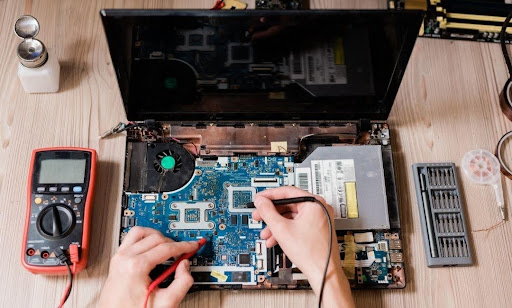
“We need to replace everything” is code for “we want your money.” Water damage rarely kills every component. Watch for these wallet-draining tactics:
The Classic Overcharge Moves
- No Diagnostic Details: They quote $1,200 but can’t explain why. Legitimate shops show you the damage – corroded ports, water indicators, failed components. If they’re vague? Walk away.
- Rush Pressure: “This price is only good today.” Water damage doesn’t get worse sitting on a shelf. Shops pushing immediate decisions are banking on your panic.
- The Bundle Scam: Your keyboard failed. Suddenly, they’re replacing:
- Keyboard ($300) ✓
- Battery “just in case” ($200) ✗
- Display “preventatively” ($400) ✗
- Speakers “while we’re in there” ($150) ✗
- No Warranty Talk: Quality repairs come with guarantees. No mention of warranty? They don’t trust their own work. iPhone Repair 4 Less offers 1-year warranties because we use parts built to last.
Price Comparison Red Flags
| Quote Warning Sign | What It Means | Your Move |
| 80% of new price | They’re padding heavily | Get 3 quotes |
| “Flat rate water damage” | No real diagnostic done | Demand itemization |
| Parts 3x online prices | Massive markup | Question specific costs |
| Same-day premium 50%+ | Fake urgency | Take your time |
The “Apple Said” Trap: “Apple quoted $1,500, we’ll do it for $1,200.” They’re anchoring high. Your $400 repair suddenly seems like a bargain at $1,200.
Money-Saving Alternatives That Actually Work
Half of water-damaged MacBooks don’t need the repairs shops recommend. Try these first.
The 48-Hour Dry Method (Free)
Before spending a dime:
- Power off immediately (hold power 10 seconds)
- Flip upside down, tent position
- Fan + dehumidifier for 48 hours
- Test before assuming the worst
Success rate? About 30% for minor spills. Costs nothing but time.
Component-Level Repair ($100-$400)
Instead of replacing the whole logic board, find shops doing board-level repair:
- Ultrasonic cleaning
- Capacitor replacement
- Trace repair
- Corrosion removal
This cuts costs by 60-70%. Not every shop has the skills, but those that do save you hundreds.
The Donor Mac Strategy ($300-$600)
Your logic board’s toast? Buy a broken MacBook with a working board:
- eBay “for parts” listings
- Cracked screen models
- Physically damaged units
Harvest the parts you need. Total cost: 40% of retail repairs.
Smart Timing Saves Money
- Wait for slow seasons (January-March, August-September). Shops discount 15-25% when business drops.
- Group repairs with friends. Many shops offer bulk discounts. Three MacBooks? Negotiate 20% off.
The Insurance Angle
Check your coverage:
- Homeowner’s/renter’s insurance
- Credit card protection (some cover accidents)
- AppleCare+ (if you have it)
Deductibles run $50-$250. Worth it for major repairs.
When DIY Makes Sense
| DIY Option | Skill Level | Savings | Risk |
| Keyboard cleaning | Basic | $200-$300 | Low |
| Battery replacement | Moderate | $100-$150 | Medium |
| Cable swaps | Moderate | $50-$100 | Medium |
| Logic board work | Expert | $500+ | High |
Most “totaled” MacBooks aren’t. Get multiple opinions, understand component-level options, and don’t panic-pay. Quality shops want to save your device, not sell you a new one.
Ready to Save Your MacBook (and Your Wallet) with iPhone Repair 4 Less?
Water damage isn’t a death sentence for your MacBook Pro. Now you know exactly what repairs should cost and how to avoid getting overcharged. The difference between a $400 fix and a $1,500 replacement? Simply knowing your options.
Key takeaways:
- Minor spills typically cost $200-$400 to repair
- Logic boards can often be cleaned, not replaced
- Apple quotes 3x higher than component-level repairs
- Red flags include vague quotes and pressure tactics
- Board-level repair cuts costs by 60-70%
- Always get 3 quotes before deciding
At iPhone Repair 4 Less, we’ve rescued thousands of water-damaged devices that others wrote off. Our techs do component-level repairs that Apple won’t touch, backed by a 1-year warranty. Plus, our no-fix, no-fee policy means you’ve got nothing to lose by letting us look.

Write a Comment