
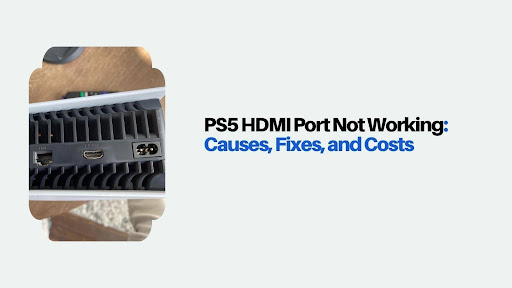
You press the power button. The white light glows. The fan spins up. But your TV keeps flashing that dreaded “No Signal” message. Panic sets in, and Google searches for “new PS5” start filling your history.
Hold up. Before you drop $500 on a replacement, know this: nearly half of “broken HDMI port” cases aren’t actually broken ports. They’re loose cables, HDCP handshake glitches, resolution mismatches, or a simple settings bug that clears in Safe Mode. We’ve mapped out every fix from the free 30-second checks to the professional repair, so you know exactly what to try before spending a dime.
Here’s what we’ll cover:
- The 6 real causes of PS5 HDMI port failure
- Free troubleshooting steps that fix half of all cases
- HDCP and Safe Mode tricks most guides skip
- When it’s really the port (and what repair actually costs)
- How to protect your HDMI port from ever failing again
When free fixes fall short, iPhone Repair 4 Less is Lafayette’s PS5 HDMI specialist. Free diagnosis, real microsoldering repair, and a 1-year warranty. Walk in today or call for a same-day quote.
6 Real Causes of HDMI Failure
Not every “no signal” screen means your HDMI port is dead. But when it is the port, one of these six causes is almost always behind it.
1. Physical impact or drops
Dropping the PS5 or bumping it while an HDMI cable is plugged in puts massive stress on the port’s solder joints. Even a small drop can crack the connection between the port and the motherboard. This is the #1 cause we see in the shop.
2. Cable weight and strain
A heavy, stiff HDMI cable dangling off the back of your PS5 pulls sideways on the port around the clock. Over months, that constant tension loosens the solder holding the port in place.
3. Bent or broken pins
Inserting the HDMI cable at an angle, or forcing a slightly misaligned cable, bends the tiny pins inside the port. Once even one pin is bent, the signal path breaks and the display fails.
4. Power surges
Lightning strikes, faulty outlets, or a bad power supply can send voltage spikes through the HDMI connection. This can fry the HDMI controller chip on the motherboard, not just the port itself.
5. Dust and debris buildup
Enclosed entertainment centers trap dust, which settles inside the port and blocks pin contact. Not a “failure” exactly, but it mimics one perfectly.
6. Moving the console while cables are attached
Every time you shuffle the PS5 with the HDMI still plugged in, the port takes the strain. Over time, this weakens the solder joints just like cable weight does.
Pro tip: Ports rarely fail from normal use alone. Look back at the last week for any drops, bumps, or moves that might have started the problem. That helps a tech diagnose it faster.
For a broader look at PS5 and Xbox HDMI issues, our PS5 and Xbox HDMI repair guide covers the diagnostic process in more depth.
Free Troubleshooting Steps
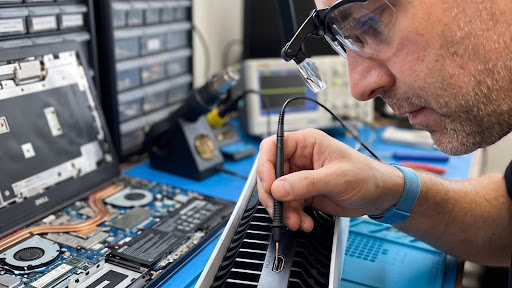
Before you assume the worst, run through these free checks. They fix nearly half of “HDMI port not working” cases without any repair at all.
Step 1: Test with a different HDMI cable
HDMI cables die more often than ports. Grab a known good HDMI 2.1 cable (ideally the one that came with your PS5) and swap it in. If the picture returns, your cable was the problem.
Step 2: Try a different HDMI port on your TV
TV HDMI ports fail too, often silently. Move your PS5’s cable to HDMI 2, 3, or 4 on your TV. Cycle through inputs with your remote to make sure you’re viewing the right one.
Step 3: Power cycle both devices
Turn off the PS5 and TV completely. Unplug both from the wall for at least 60 seconds. Plug them back in, power up the TV first, then the PS5. This clears temporary handshake glitches.
Step 4: Test with a different TV
If possible, plug your PS5 into a different TV. If it works, the issue is with your original TV, not the console. If it still fails, the problem is on the PS5 side.
Step 5: Inspect the port with a flashlight
Grab a flashlight and peek inside the PS5’s HDMI port. Look for:
- Dust or lint blocking the pins
- Bent, missing, or crooked pins
- A visibly loose port that wobbles when the cable is inserted
Step 6: Clean the port safely
If you see dust, power off the PS5, unplug it, and blow the port out with compressed air in short bursts. Never insert metal tools like paperclips or SIM ejectors, which will bend the pins.
Pro tip: Do these six checks in order. Skipping straight to “it must be the port” burns money on repairs you may not need. Half the cases we see in the shop clear up after step 1 or 2.
HDCP and Safe Mode Tricks
Here’s the part most guides skip: your PS5 might display fine on every TV except yours because of an HDCP handshake mismatch or a resolution setting your TV can’t handle. Both are fixable in Safe Mode, no repair needed.
Fix 1: Boot into Safe Mode and change resolution
If your PS5 outputs 4K at 120Hz but your TV maxes out at 4K 60Hz, you’ll see a black screen or “no signal” even though everything is working.
How to do it:
- Fully power off the PS5 by holding the power button until the second beep
- Connect your DualSense controller via USB cable
- Press and hold the PS5 power button until you hear two beeps (about 7 seconds)
- Press the PS button on the controller
- Select “Change Video Output” → “Change Resolution”
- Choose 480p or 720p to force compatibility
- Restart and see if the picture appears
If it works, you can bump the resolution back up gradually in Settings once you have a display.
Fix 2: Switch HDCP to 1.4 in Safe Mode
Newer 4K HDR TVs and older HDMI switches sometimes fail the HDCP 2.2 handshake, resulting in a black or blinking screen.
How to switch:
- Boot into Safe Mode (steps above)
- Select “Change HDCP Mode”
- Choose “HDCP 1.4 only”
- Restart and check the display
This forces backward compatibility with older TVs, soundbars, or capture devices. Once you have a picture, you can experiment with HDCP 2.2 again.
Fix 3: Disable HDR temporarily
Some TVs handle HDMI 2.1 fine but choke on HDR signaling. Once you have any picture, go to:
Settings → Screen and Video → Video Output → HDR → Off
If the flickering stops, your TV needs a firmware update or an HDMI cable rated for full HDR bandwidth.
Fix 4: Update your PS5 firmware in Safe Mode
Occasionally, a bad PS5 firmware release causes HDMI weirdness that Sony patches later. In Safe Mode, select “Update System Software” and use a USB drive with the latest firmware from PlayStation.com.
Pro tip: If Safe Mode fixes let you see a picture even briefly, your port is not physically dead. That saves you from paying for a repair you don’t need.
When It’s Really the Port
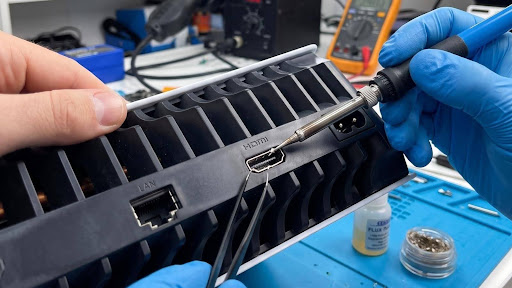
If you’ve run through every free check, tried Safe Mode tricks, and swapped cables and TVs, and still get no signal, the port itself is the culprit. Here’s how to confirm it and what repair actually costs.
Confirming physical port failure
You’re dealing with a real port problem if:
- Nothing displays on any TV with any cable
- The HDMI port wobbles or moves when you insert a cable
- You see bent, missing, or discolored pins under a flashlight
- The PS5 shows video briefly, then drops as soon as you touch the cable
- Safe Mode fixes don’t work (or you can’t even reach Safe Mode)
What real repair costs in 2026
| Repair Type | Cost Range | Turnaround |
| Local independent shop (real microsoldering) | $99 to $200 | Same day to 3 days |
| Mail-in specialist | $99 to $200 + shipping | 5 to 14 days |
| Sony official repair | $250 to $400+ | 2 to 4 weeks |
| Sketchy “reflow” fix (avoid) | $50 to $80 | Same day |
Why avoid the $50 “reflow” trap
Some shops offer a $50 to $80 heat gun “repair” that just melts existing solder. It’s not a real fix. Expect it to fail within 3 to 6 months, and it can damage nearby components in the process, making a real repair harder and more expensive.
A proper HDMI port replacement requires:
- Full desoldering of the damaged port with a hot air rework station
- Genuine replacement HDMI ports (not aftermarket knockoffs)
- Precise re-soldering with correct temperature control
- Multi-TV testing before you get it back
The repair vs replace math
A PS5 costs $400 to $500 new. A real HDMI repair runs $99 to $200. Even a Pro model repair beats buying a new console, and you keep all your saved games, digital library, and settings.
Pro tip: Always ask a shop specifically: “Are you replacing the port or reflowing it?” The right answer is replacing. Anything else is a temporary bandaid.
For a real microsoldering fix in Lafayette, our gaming console repair team handles PS5 HDMI jobs every week, with a 1-year warranty on every repair.
Protect Your HDMI Port for Good
The cheapest port repair is the one you never need. A few small habits keep your PS5’s HDMI port healthy for the life of the console.
Setup smart from day one
- Route cables to lie flat: Don’t let the HDMI cable dangle off the back of the console. Support the cable weight with a cable clip or by resting it on the entertainment center.
- Give the console breathing room: PS5 heat weakens solder over time. Keep at least 4 to 6 inches of clearance on all sides for ventilation.
- Use the stand properly: PS5’s stand isn’t optional. Vertical positioning without it, or on an unstable surface, stresses the port over time.
- Avoid enclosed cabinets: Trapped heat is the silent killer of console solder joints.
Daily gaming habits
- Never move the console with the cable plugged in: Unplug before shifting, dusting, or repositioning
- Insert and unplug the cable straight: Sideways angles bend pins fast
- Grip the cable head, not the wire: Pulling the wire tears connections and warps the port
- Limit plug-unplug cycles: HDMI ports are rated for about 10,000 connections, but every unnecessary swap adds wear
Buy the right cable
- Stick with HDMI 2.1 for PS5 to support 4K 120Hz and VRR without signal issues
- Choose a flexible, braided cable that doesn’t put stiff tension on the port
- Skip ultra-cheap Amazon cables that come in stiff coils and never straighten
Consider these protection accessories
- 90-degree HDMI adapters ($10 to $15): Take the mechanical stress off your port and put it on the cheap adapter instead. Best insurance in gaming.
- HDMI cable strain reliefs: Small clips that anchor the cable weight to your entertainment center rather than the console
- Dust covers or plugs: A $5 silicone plug keeps dust and pet hair out of your unused ports
Long-term care
- Blow out dust every 2 to 3 months with compressed air, PS5 powered off
- Check the port monthly with a flashlight for early signs of wear
- Keep pets and kids clear of console cables, since one hard yank ends a port’s life
Pro tip: A 90-degree HDMI adapter costs less than a large pizza and can double your port’s lifespan. It’s the single best upgrade a PS5 owner can make.
If those habits arrive too late and your port has already given up, iPhone Repair 4 Less is Lafayette’s fast, fair fix. Free diagnosis, walk-in service, and most PS5 HDMI repairs done in 24 to 48 hours. Call (337) 255-2898 for a same-day quote.
Beat the “No Signal” Screen With iPhone Repair 4 Less
A PS5 HDMI port that stops working doesn’t mean your console is done. Once you rule out cables, TVs, and settings, real repair costs a fraction of a new console.
Keep these takeaways locked in:
- Nearly half of “port failures” are actually cables, TVs, or HDCP glitches
- Run through 6 free troubleshooting steps before assuming the worst
- Safe Mode fixes HDCP, resolution, and firmware issues without any repair
- Real port replacement costs $99 to $200, not the $50 “reflow” trap
- 90-degree adapters and cable support prevent 80% of port failures
When the free fixes fail, iPhone Repair 4 Less is Lafayette’s PS5 HDMI specialist. Real microsoldering, free diagnosis, walk-in service, and every repair backed by a 1-year warranty. Stop staring at “No Signal.” Call (337) 255-2898 for a same-day quote.
Frequently Asked Questions
Why is my PS5 HDMI port not working?
PS5 HDMI ports fail from drops, cable strain, bent pins, power surges, dust, or moving the console with cables attached. Nearly half of the cases are actually cable issues.
Can I fix my PS5 HDMI port myself?
DIY HDMI port repair requires microsoldering equipment and experience. Most home attempts damage the motherboard further. Professional repair costs $99 to $200 and protects your console.
How do I know if my PS5 HDMI port is damaged?
Look for bent pins, a loose port, no display on any TV, or a picture that drops when you touch the cable. Safe Mode failures confirm hardware damage.
How much does a PS5 HDMI port repair cost?
PS5 HDMI port repair costs $99 to $200 at independent shops with real microsoldering. Sony charges $250 to $400+ and often swaps the console instead.
Can Safe Mode fix HDMI issues on PS5?
Yes. Safe Mode can fix resolution mismatches, HDCP handshake failures, and firmware bugs that look like port damage. Try it before assuming a hardware issue.
Write a Comment